
Create and publish a course
From an empty draft to a course students can find in the catalog.
Tested on 11/10/2026 · version e250746c02
A course lives inside a space, optionally in a folder. It can be on demand (recorded lessons, available any time) or live (lessons with a date, streamed and then recorded). Recordings get a transcript and a summary within 24 hours of the end of the lesson: see Recordings and transcripts.
Before you start
Teaching in the sidebar is there for whoever can teach in the active workspace: everyone in their personal context; in an academy the staff and whoever teaches a course, not the students. No verification is needed to open it and prepare courses.
The identity verification with Stripe is only for selling: start it from Get paid in the avatar menu (in an academy, Academy payouts, for whoever manages its billing). Courses of an academy are sold by the academy: their teachers don't need a Stripe account of their own. See Sign in and sign up.
Create the draft
Courses are created inside a space: Learning → Courses only lists the courses you follow or teach. If you teach or manage at least one course the page has two tabs, each with its count: Enrolled (the courses you follow) and Manage for whoever manages the workspace (Owner, Admin), Teaching for a teacher. It opens on Enrolled when you follow some course, otherwise on Manage. A course opened from here goes back to Courses with the back arrow; one opened from a space goes back to the space.
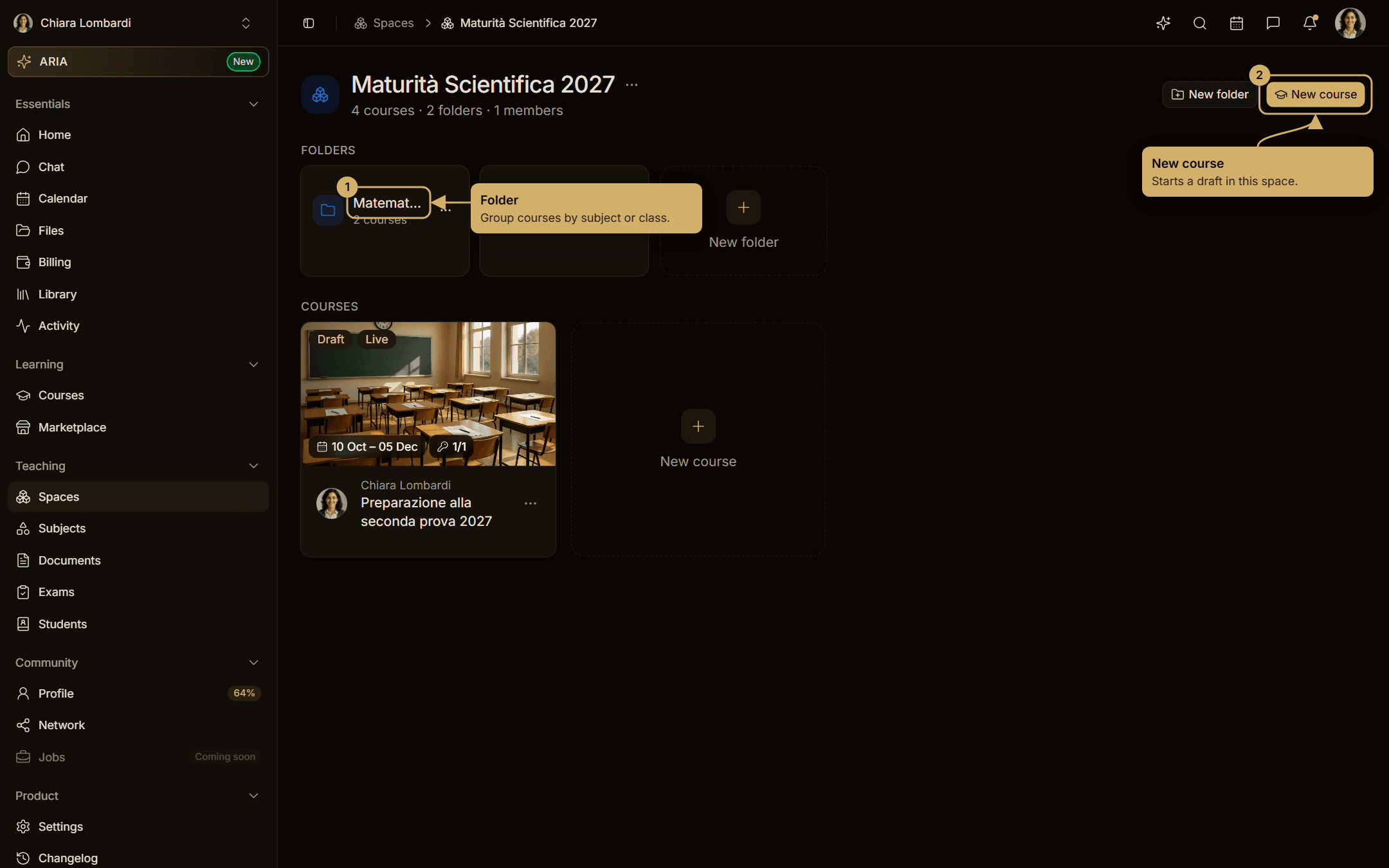
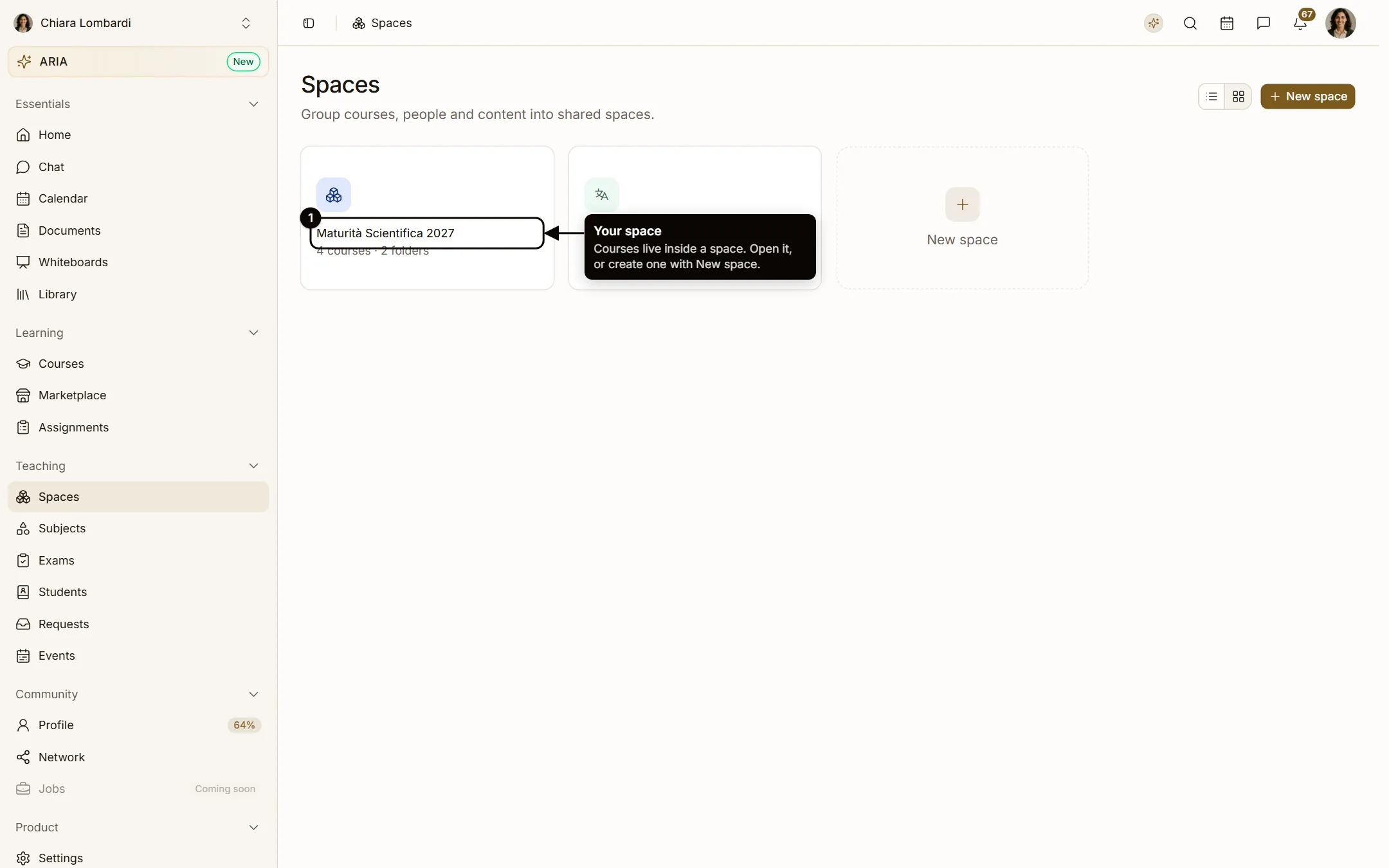
- Open Teaching → Spaces and enter the space (or create one with New space).
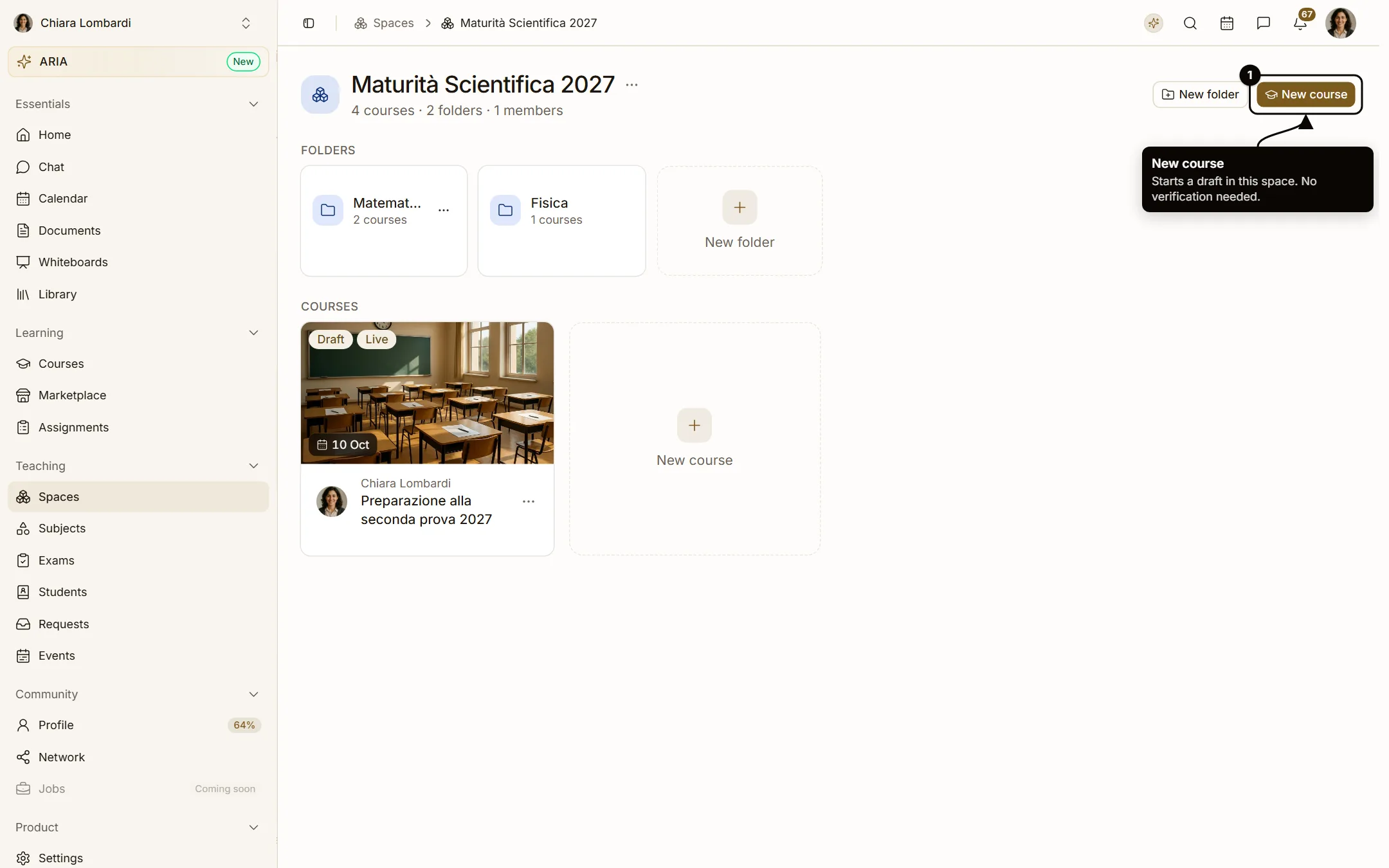
- Choose New course, at the top right or as the last tile of the Courses row.
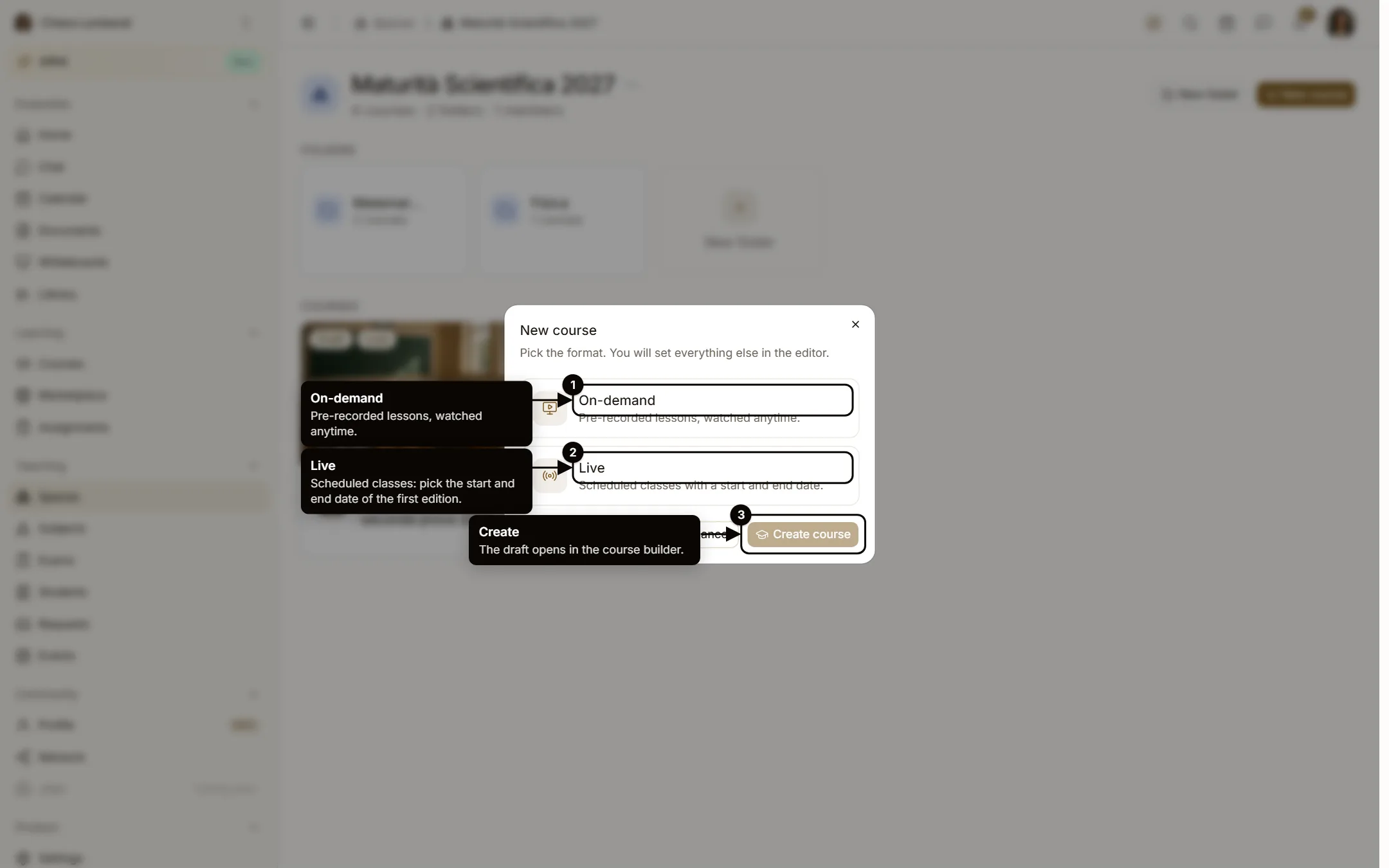
- Pick the format: On-demand (pre-recorded lessons) or Live (scheduled classes: set the start and end date of the first edition). Then Create course.
- The draft opens in the course builder, where you give it a title and everything else.
Fill in the builder
The builder is a list of sections on the left and the live preview of the course card on the right. The Publish button at the top is enabled when the checklist is complete.
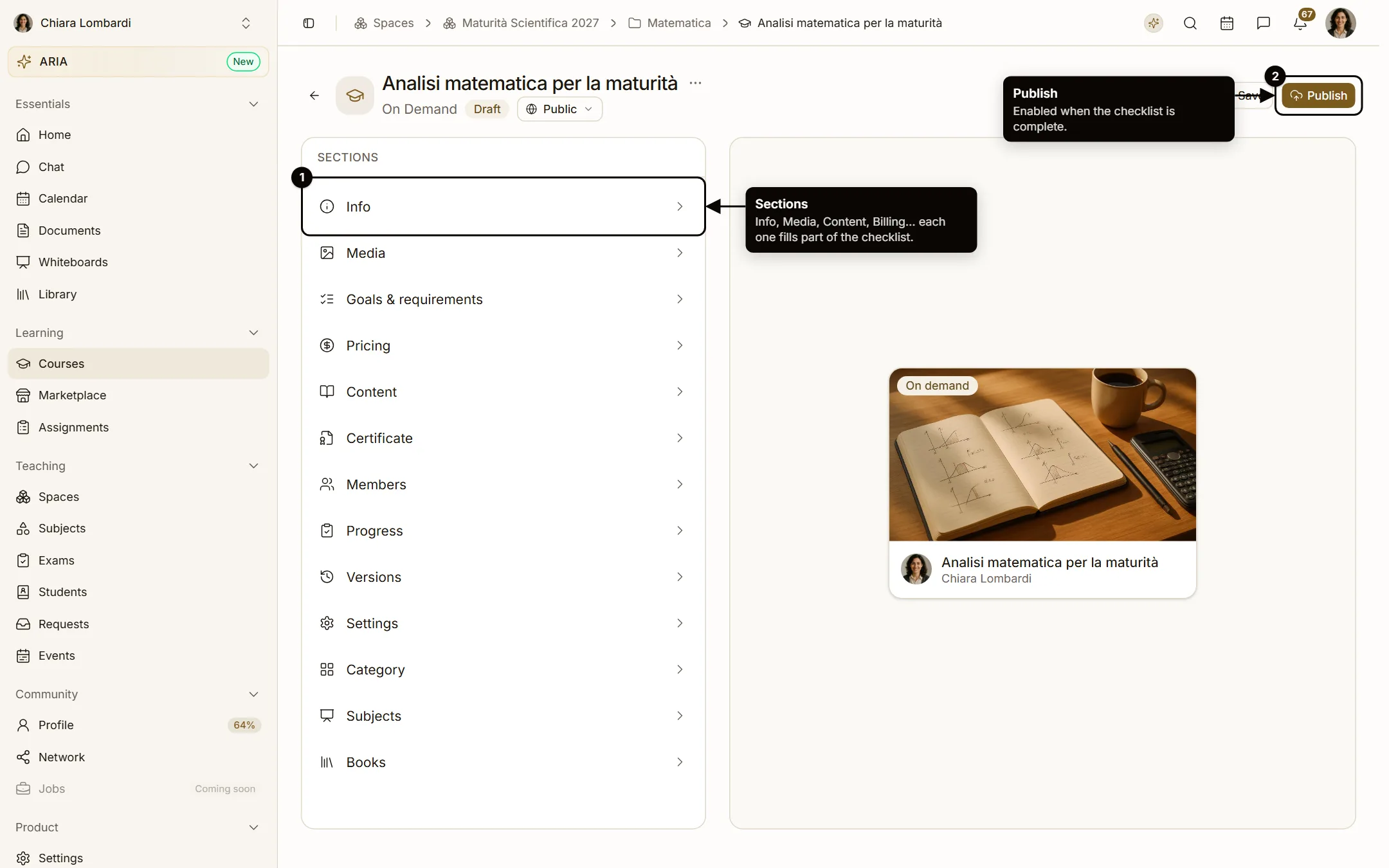
Info
Title, description, seats, language and skills (at least three to publish). Goals & requirements and Category have their own sections.
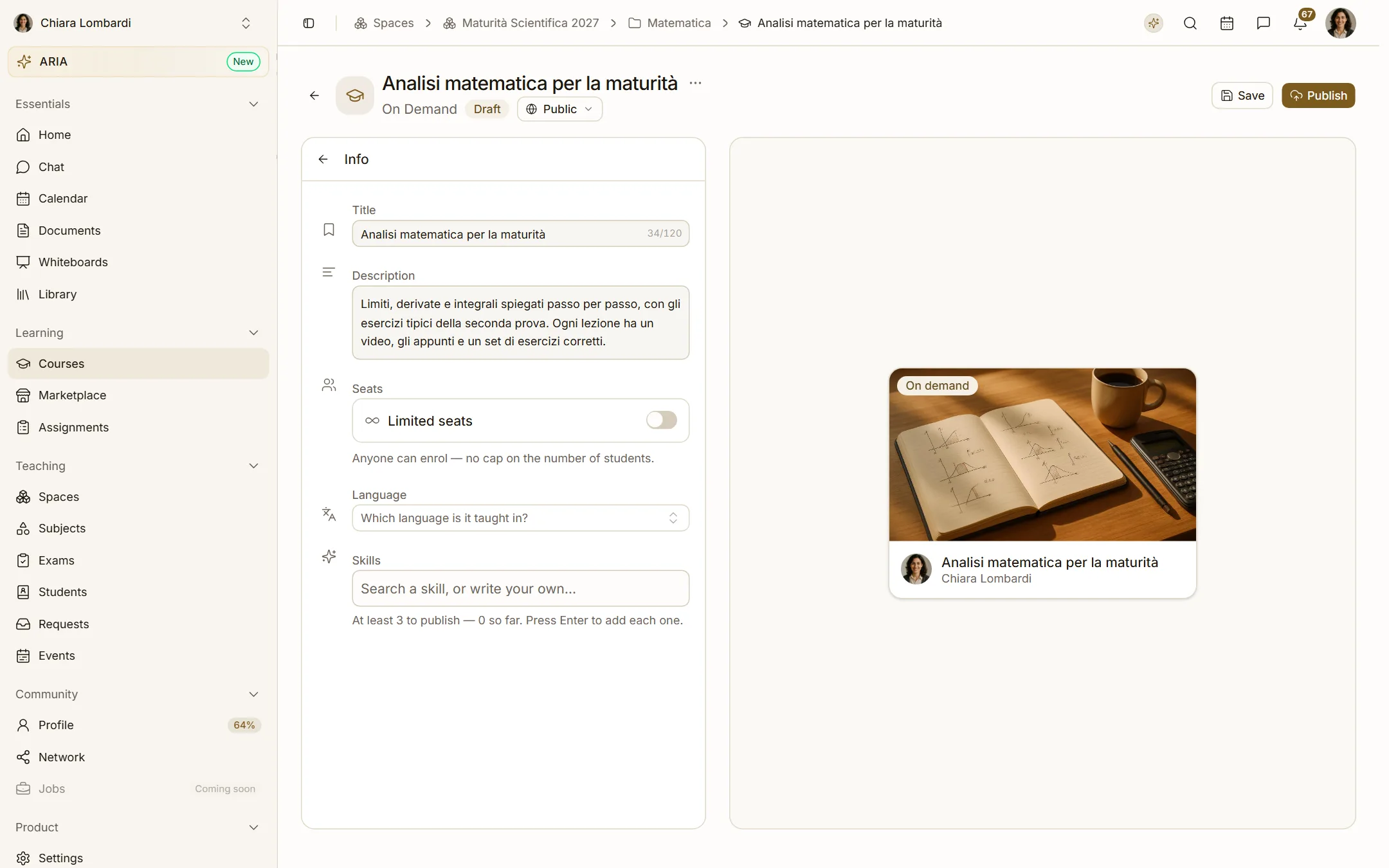
Media
A 16:9 cover image and, if you have one, a trailer video. The cover is what students see in the catalog (Marketplace) and in their library.
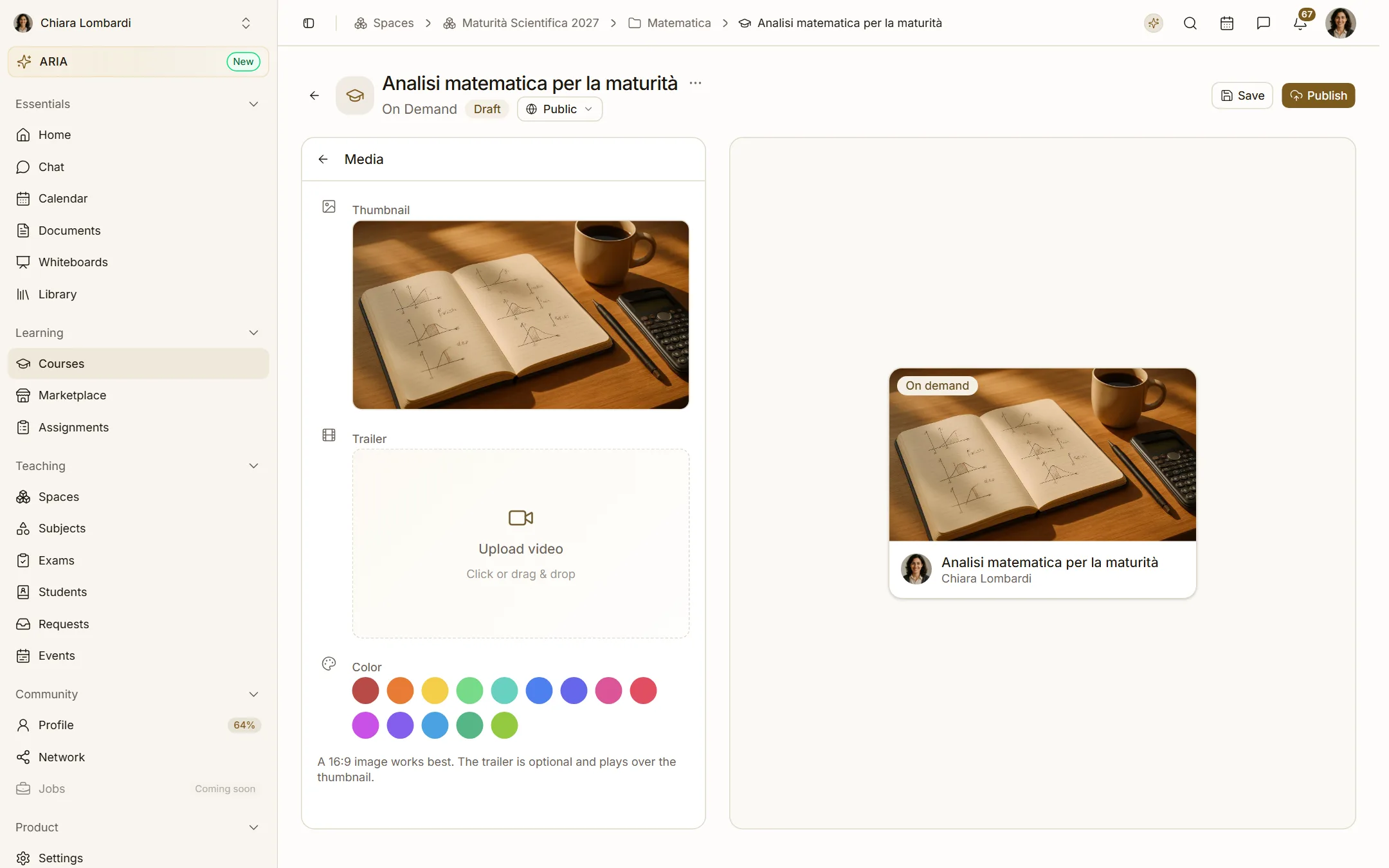
Content
Chapters and lectures. The first chapter is the free introduction and cannot be removed. Live lectures need a date; on-demand lectures need a video.
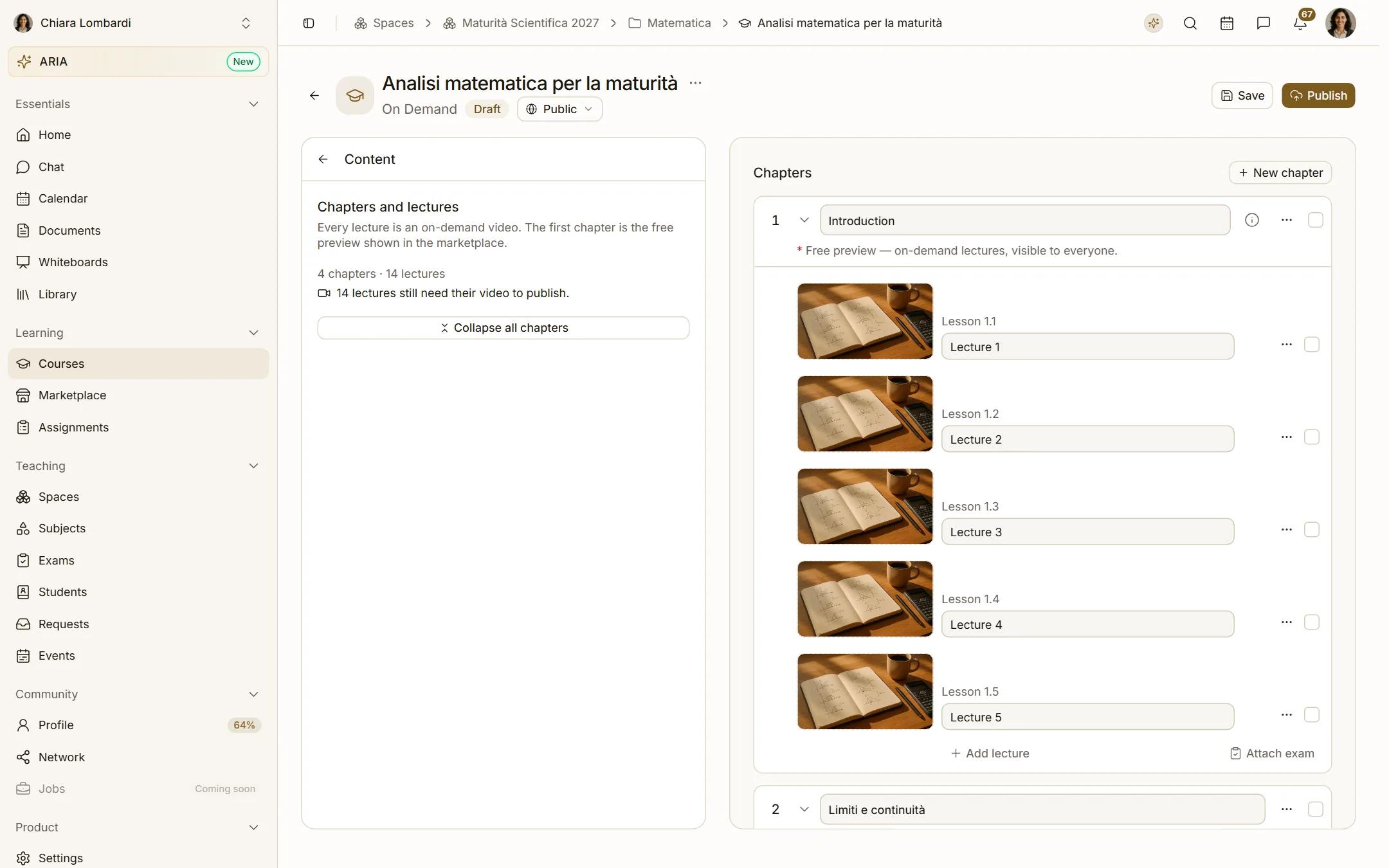
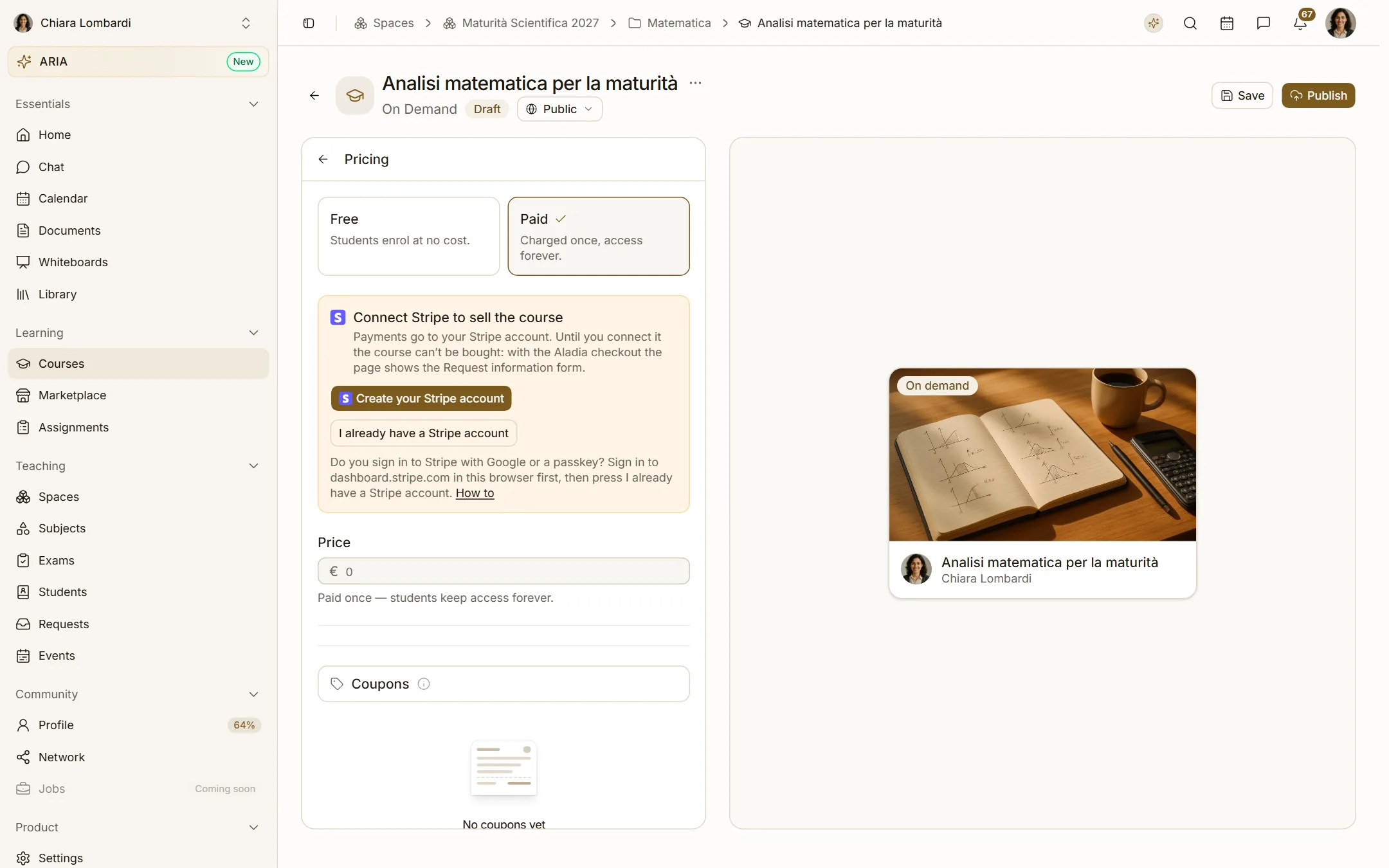
Pricing
Free, one-time price or subscription. Use the instalment preview to see what students will pay over time.
Publish
When the checklist is complete, choose Publish. The course appears in the catalog within a few minutes. You can keep editing: changes are saved as a new version and go live when you publish again.
Ask ARIA to do it
You can also say to ARIA: "Create an on-demand course called Analysis for the final exam in the Maths folder". It prepares the action, shows you exactly what it will create and waits for your approval.
Certificates and their language
A course can issue a certificate on completion (builder › Certificate). Every certificate is also an Open Badges 3.0 credential signed by the academy, with a public verification page at app.aladia.io/verify/<id> (the QR code on the document points there).
- Language of the document. The certificate is issued in the course language (set in Info). If the course has no language, or the language is not translated yet (today: Italian and English), it is issued in English. Labels and dates follow that language; the signatory role you saved stays exactly as you wrote it, and only a new template gets the default role in the course language (for example Direttore del corso).
- English version. Next to the original there is always an English version of the same credential, as with the Diploma Supplement: the verification page offers the certificate PDF in the original language and in English, and the signed credential JSON in both. The two editions reference each other (
achievement.inLanguageandachievement.related). - Verification page. It is shown in the language of whoever opens it; the original document is never changed.
- Preview. The preview in the builder uses the course language, like the real certificate.
- Certificates issued before 30/09/2026 were in English and stay valid as they are: their signature is unchanged.
The attendance registry
In live courses the builder has the Attendance section (Progress in on-demand courses): students in the left panel, the class or student detail at full width. See The attendance registry.
Assessments can be sat online or in person, on paper: in person the teacher uploads the students' copies (also a single class PDF, split among students), marks absences and grades; every grade keeps its history. See In-person assessments and paper copies.