
Plan and billing
Choose a plan, start the 14-day trial, change or cancel, update the card, read the invoices and choose who stays after a downgrade.
Tested on 29/09/2026 on the Stripe Sandbox · version 423ea8e859
The Plan and billing page (/workspace/settings/plan) belongs to the active workspace. You open it from the workspace menu at the top of the sidebar (Plan and billing), from the upgrade card at the bottom of the sidebar or from the billing banner.
Who sees it
| Role in the workspace | Plan and billing |
|---|---|
| Owner | sees and manages everything |
| Admin | same as the Owner |
| Billing (add-on role) | same as the Owner |
| Member, Student | sees only the current plan, cannot change it (403 on the billing API) |
In your personal workspace you are the Owner.
Plans
| Plan | Price | Teaching seats included | Learning seats |
|---|---|---|---|
| Free | €0 | 1 | 30 |
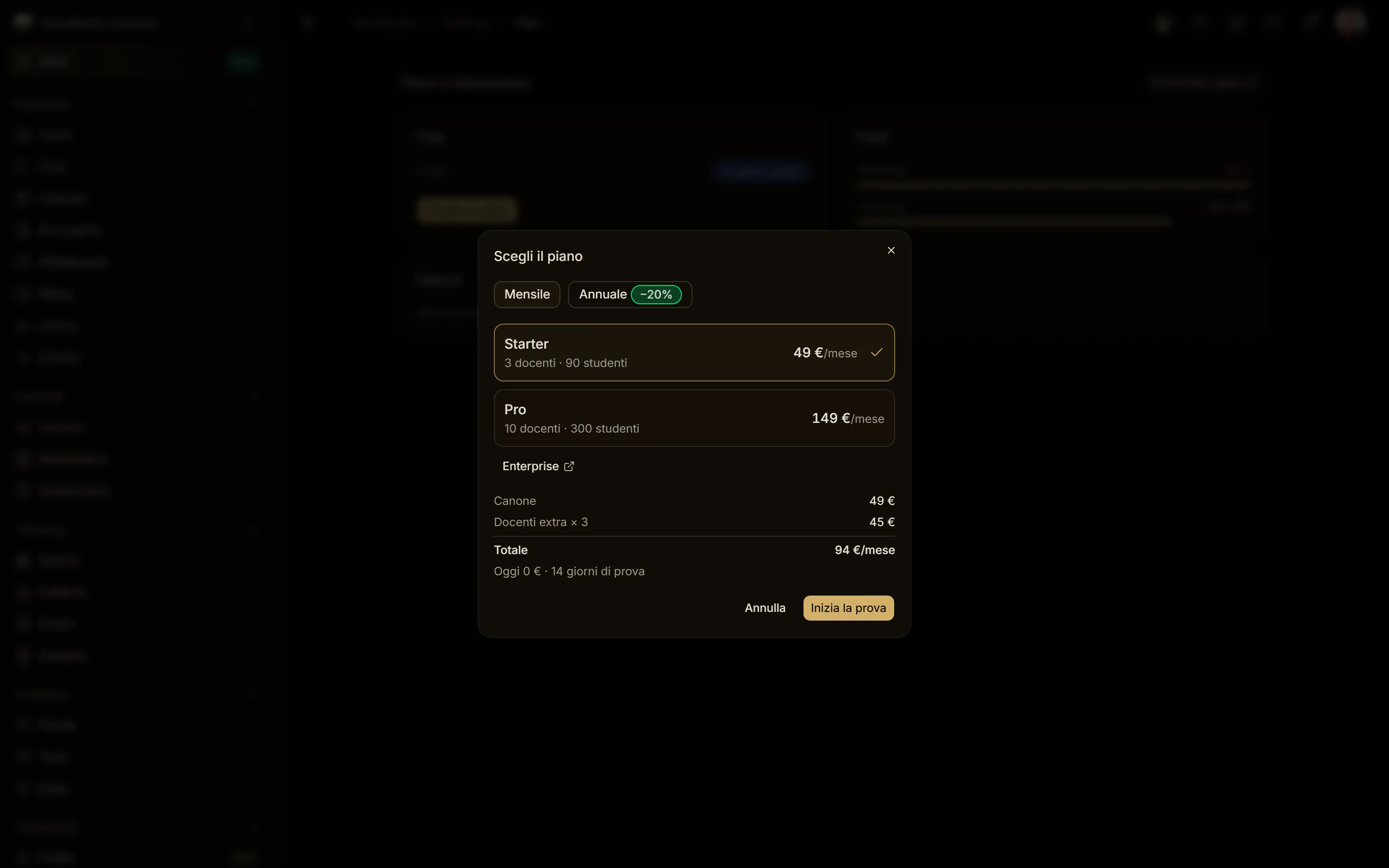
| Starter | €49/month | 3, extra teacher €15/month | 30 for each Teaching seat, packs of 30 students at €10/month |
| Pro | €149/month | 10, extra teacher €12/month | 30 for each Teaching seat, packs of 30 students at €10/month |
| Enterprise | from €500/month | tailored | tailored, through sales |
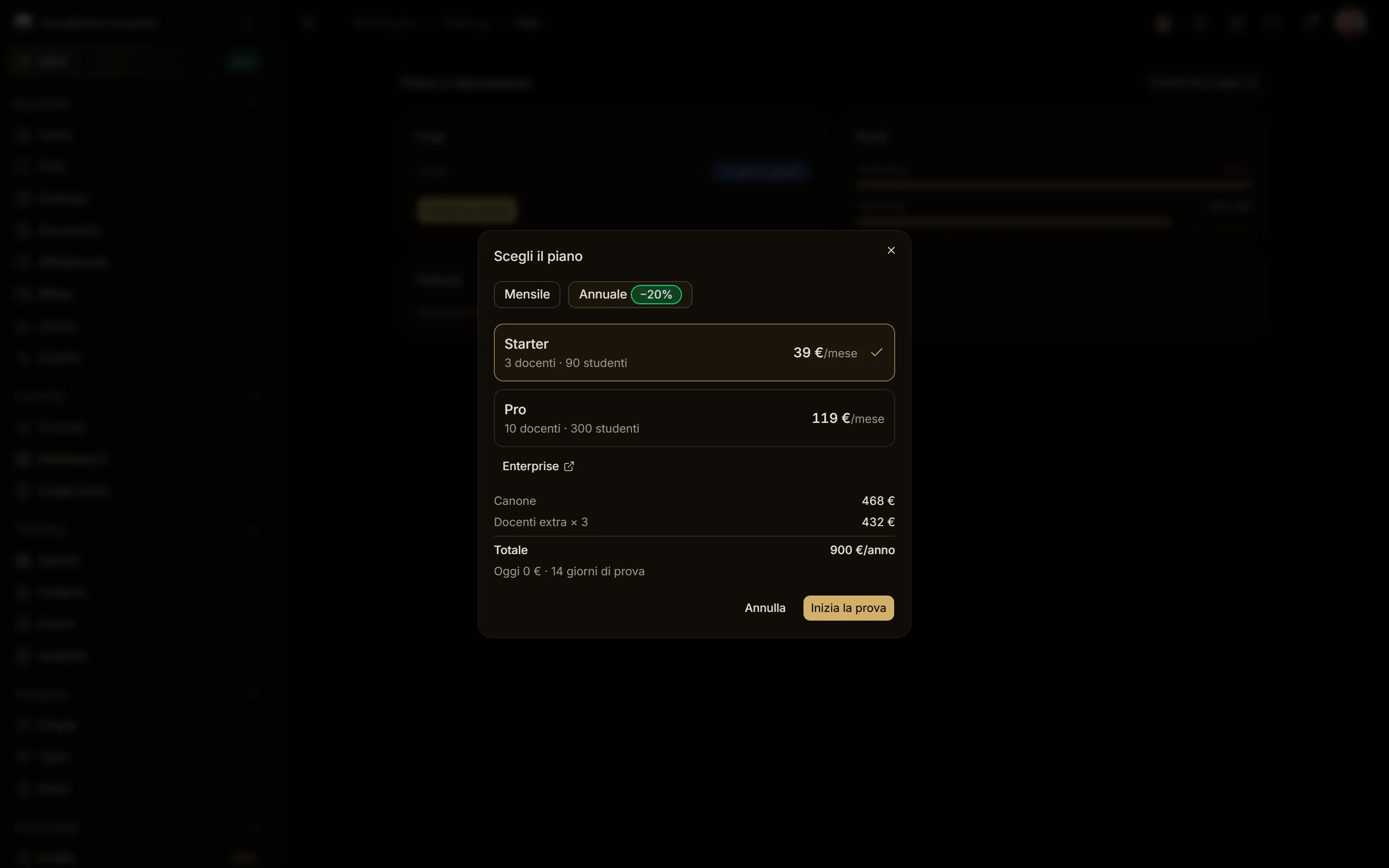
Annual billing costs 20% less on every line. Prices exclude VAT.
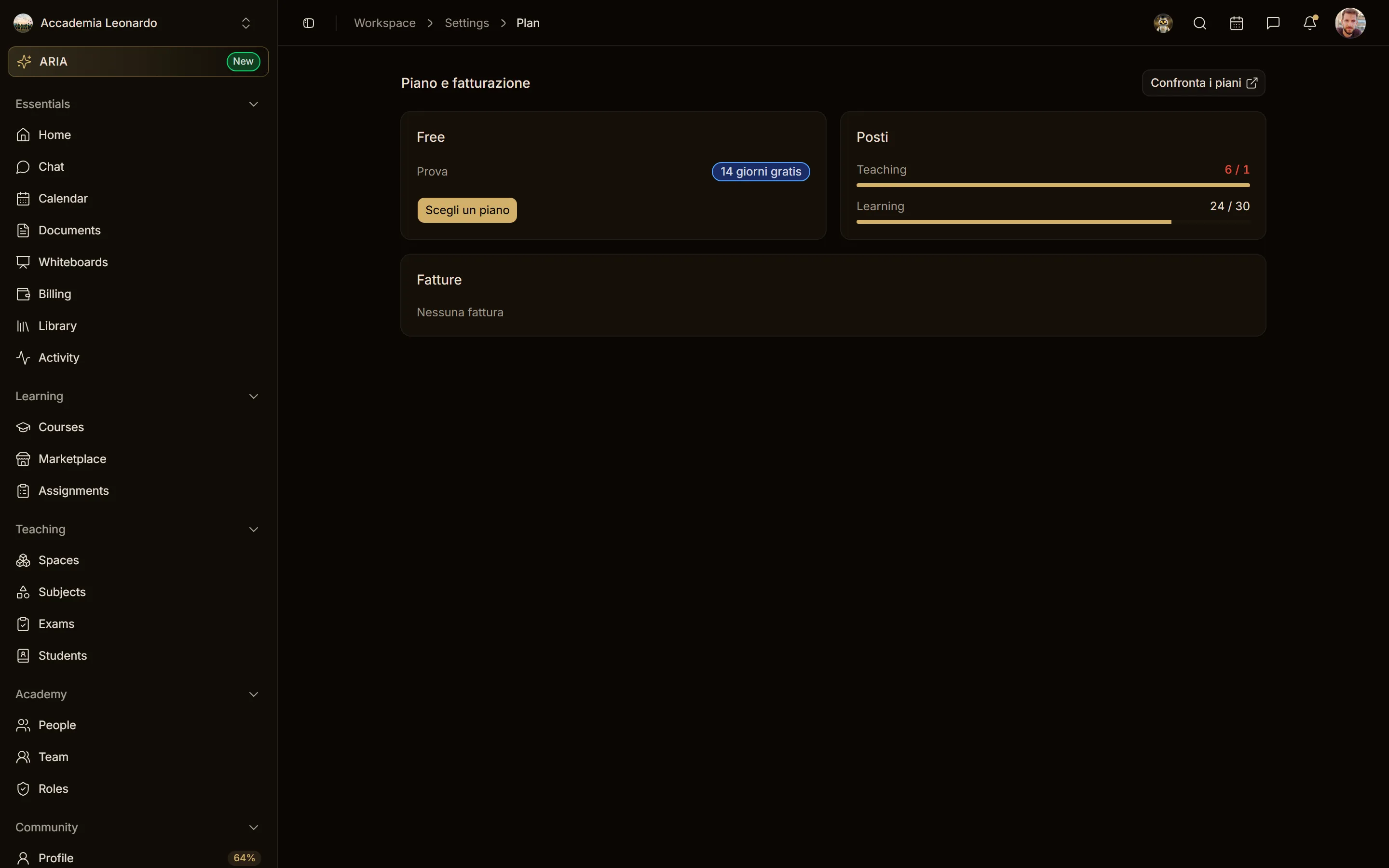
Choose a plan and start the trial
- Select Choose a plan.
- Pick Monthly or Annual, then Starter or Pro: the preview shows the fee, extra teachers and student packs, and the total.
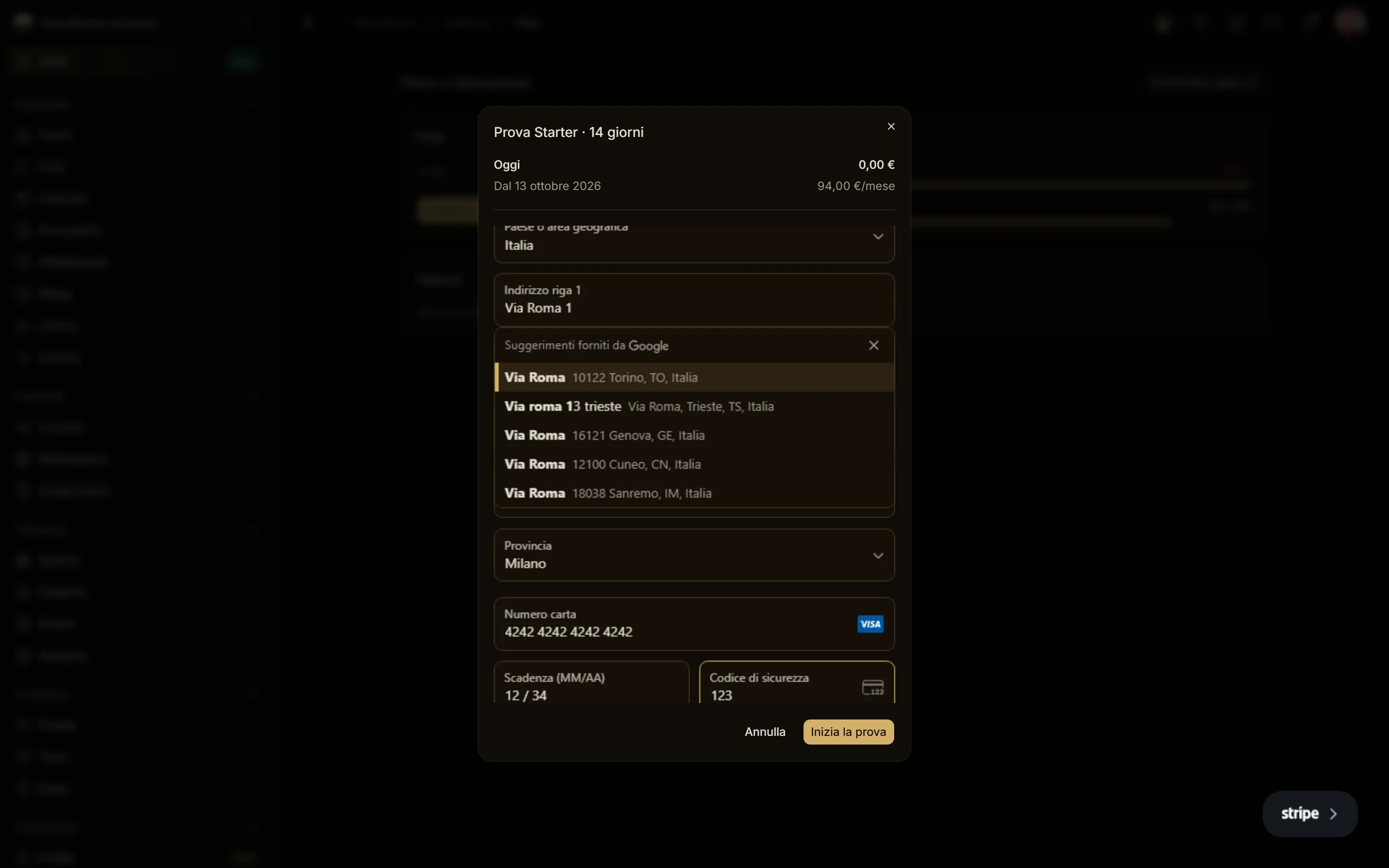
- Select Start the trial, enter the billing address and the card, and confirm.
The trial lasts 14 days and needs a card: nothing is charged today, the subscription starts on the saved card when the trial ends. Each workspace, person and card gets one trial; after that the plan starts at once (Continue to payment).
During the trial
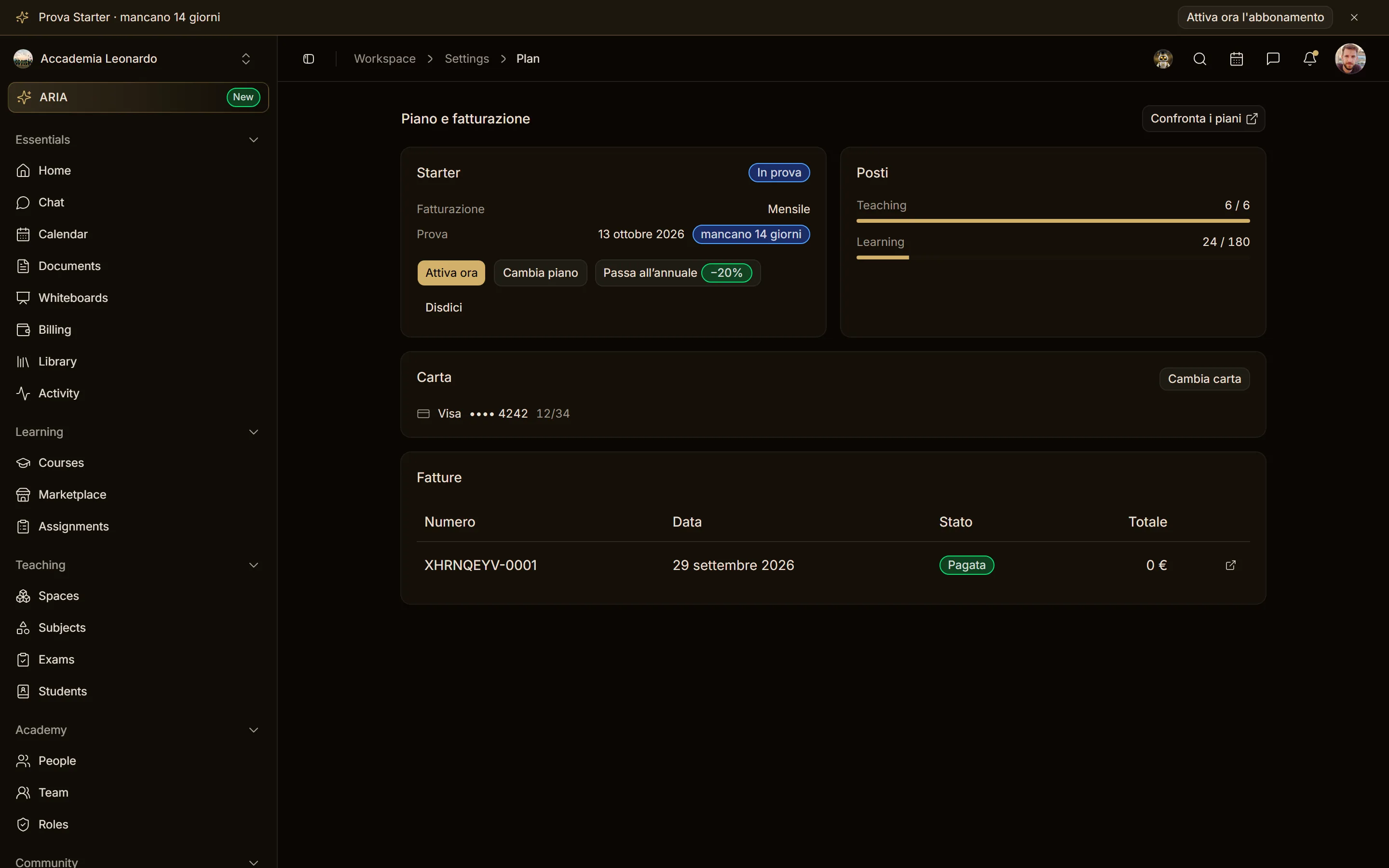
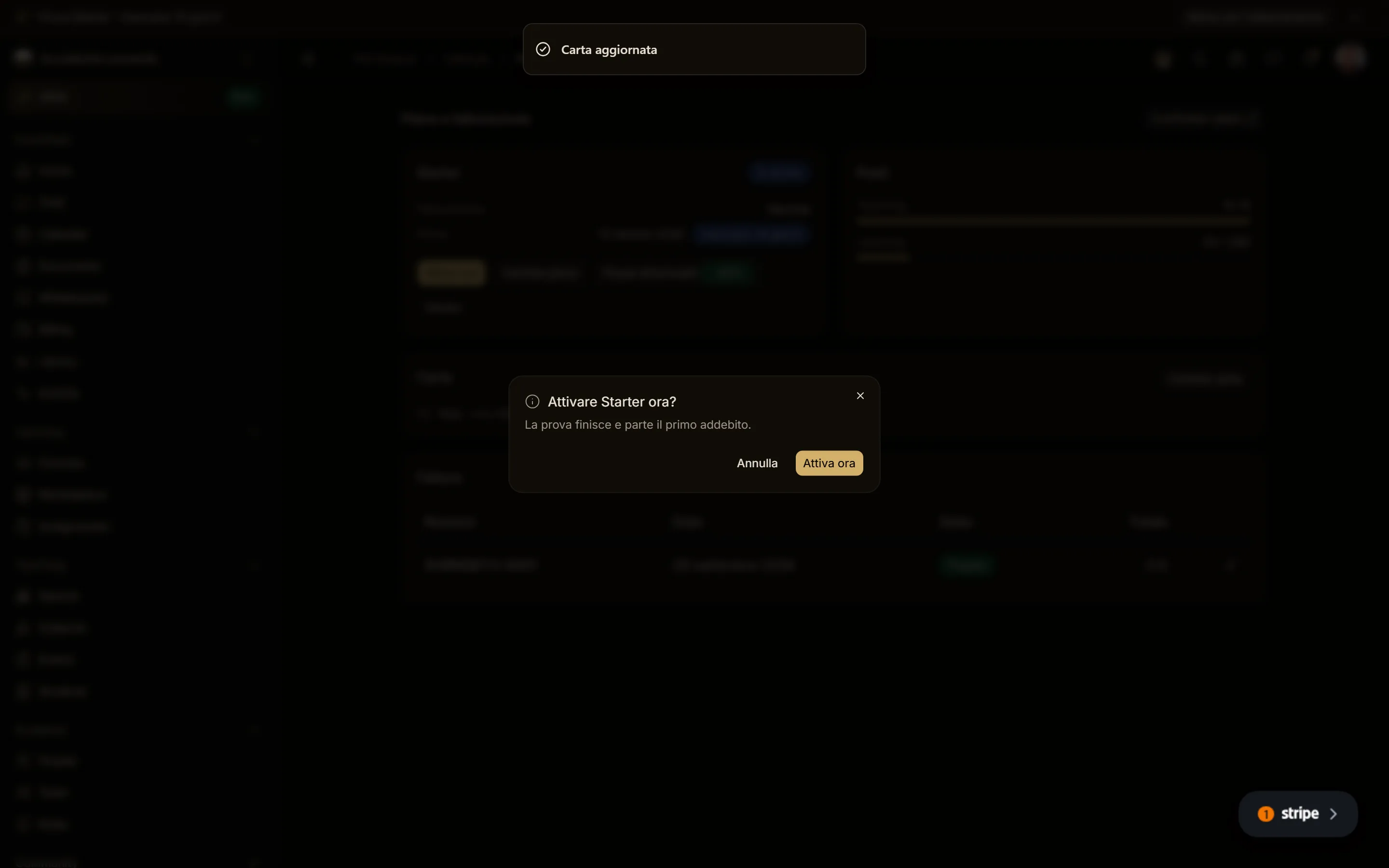
The page and the banner at the top show the days left. Activate now ends the trial and starts the first charge. You can change plan (the trial continues until the same date) or cancel: during the trial cancelling is immediate and nothing is charged.
Change plan and switch to annual
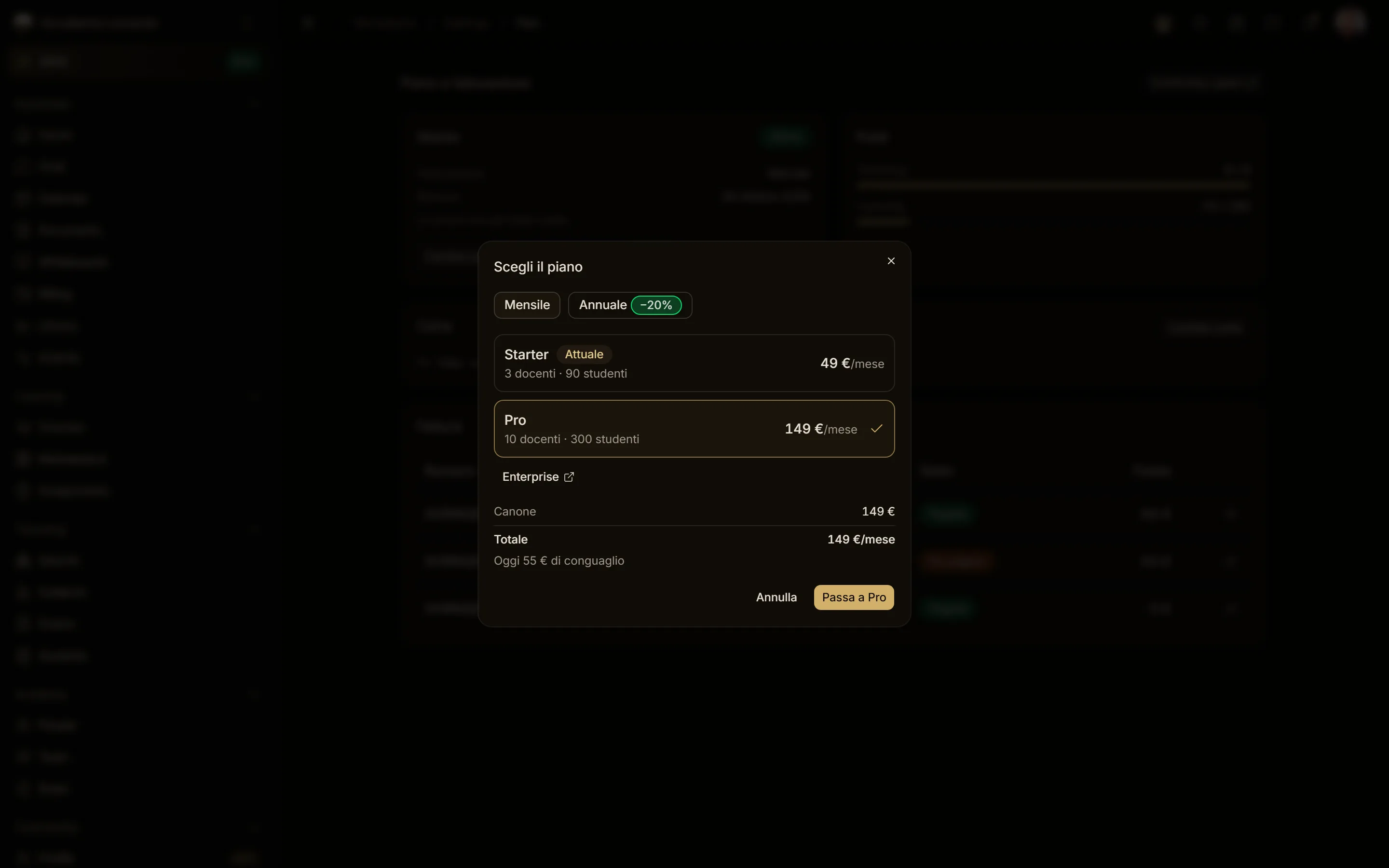
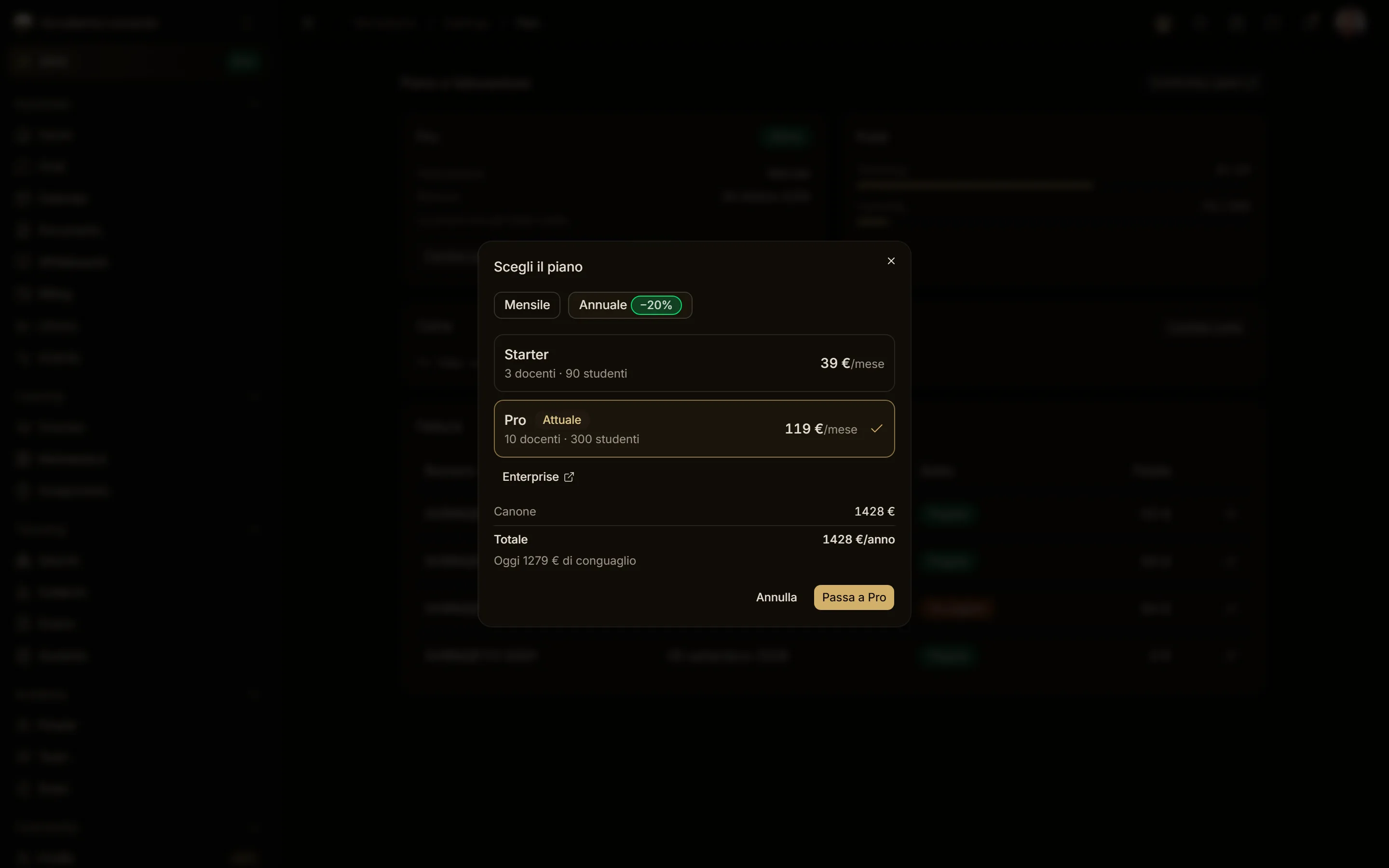
- Upgrade (for example Starter → Pro, or monthly → annual): immediate. The preview shows the proration charged today; the rest of the month becomes credit.
- Downgrade (for example Pro → Starter, or annual → monthly): at renewal. Until then nothing changes, and Undo change cancels it.
Cancel and reactivate
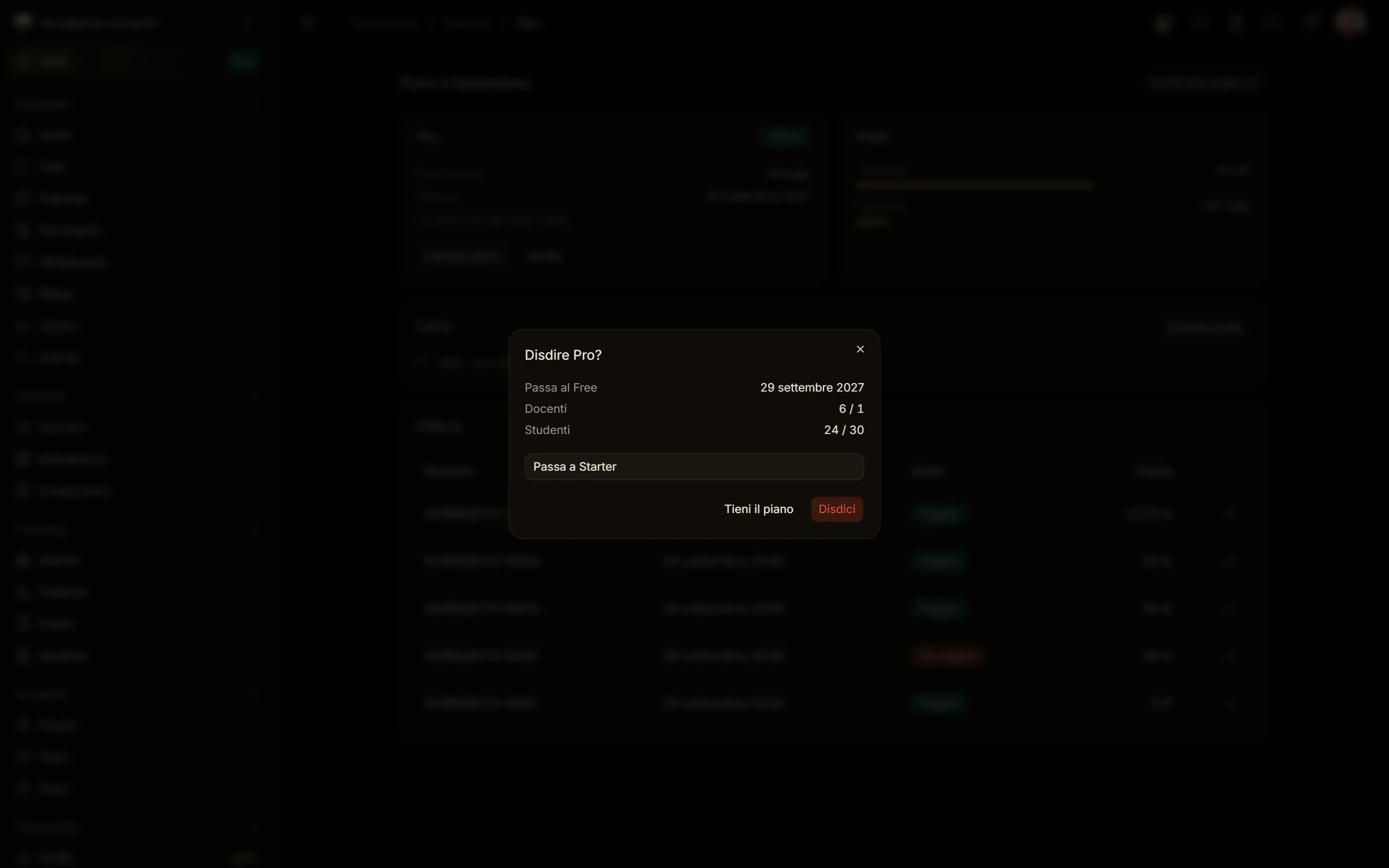
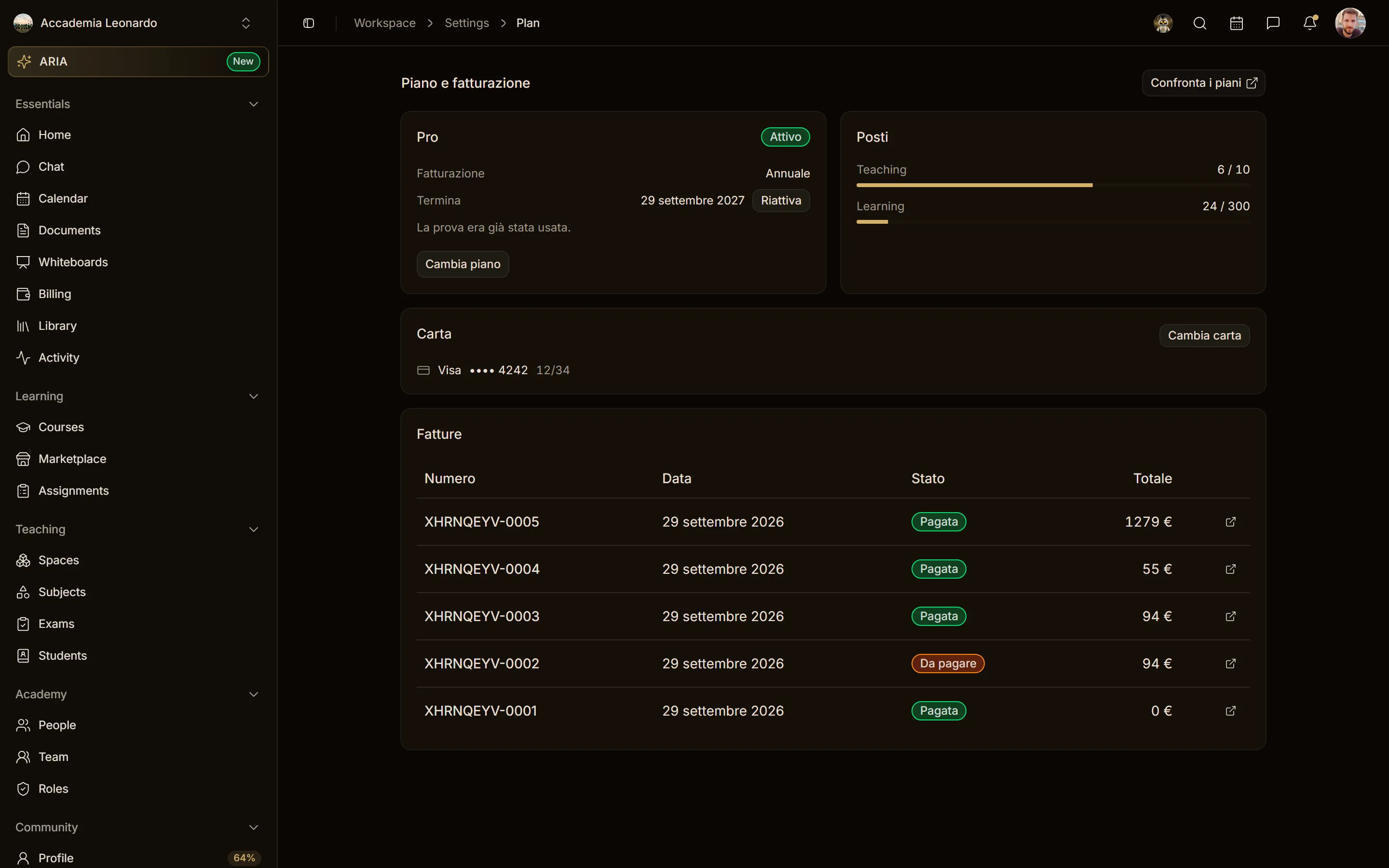
Cancel plan first offers annual billing (−20%) to monthly plans and Starter to Pro plans. Cancelling a paid plan takes effect at the end of the period: until then everything keeps working and Reactivate undoes the cancellation.
Payment failed
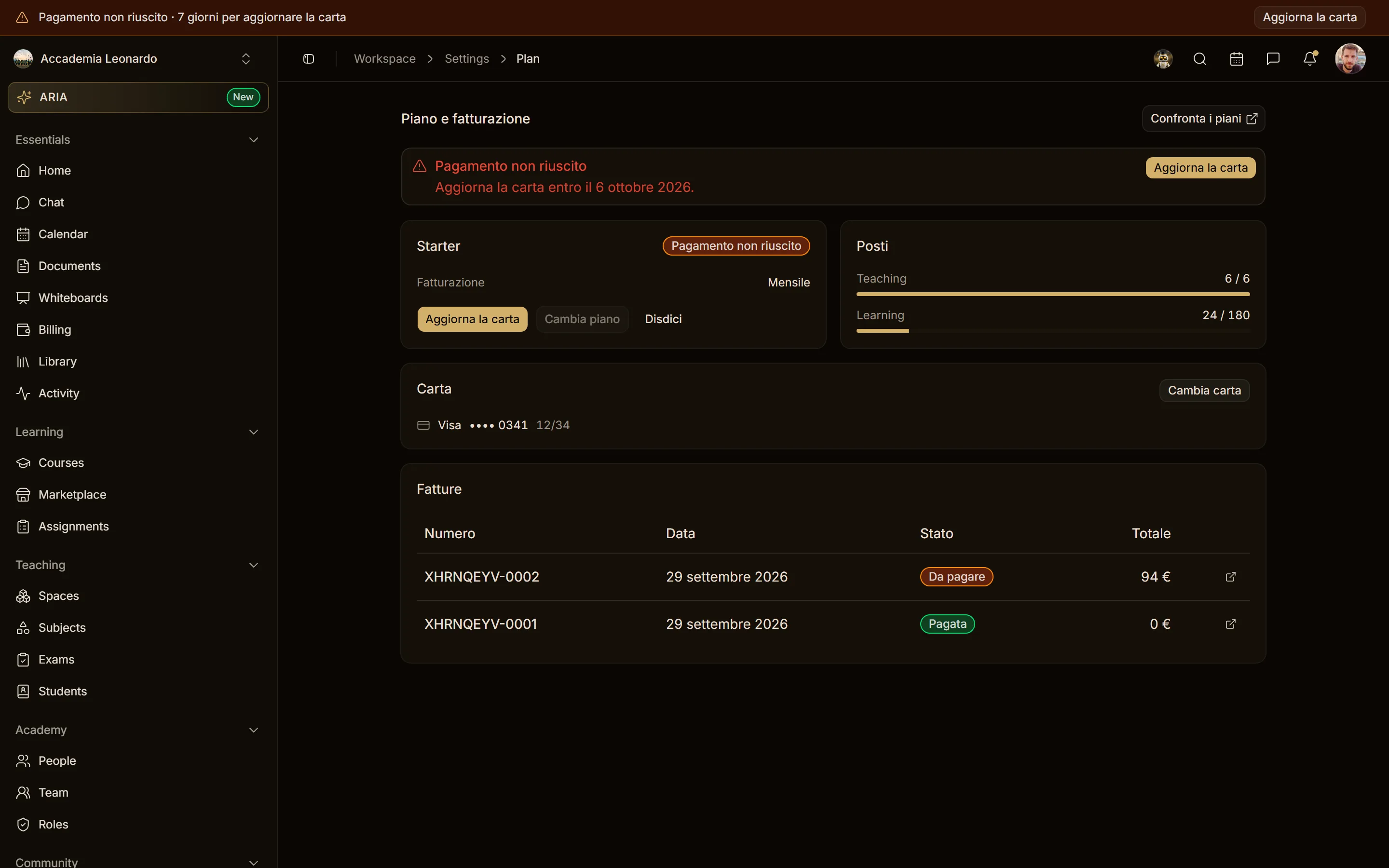
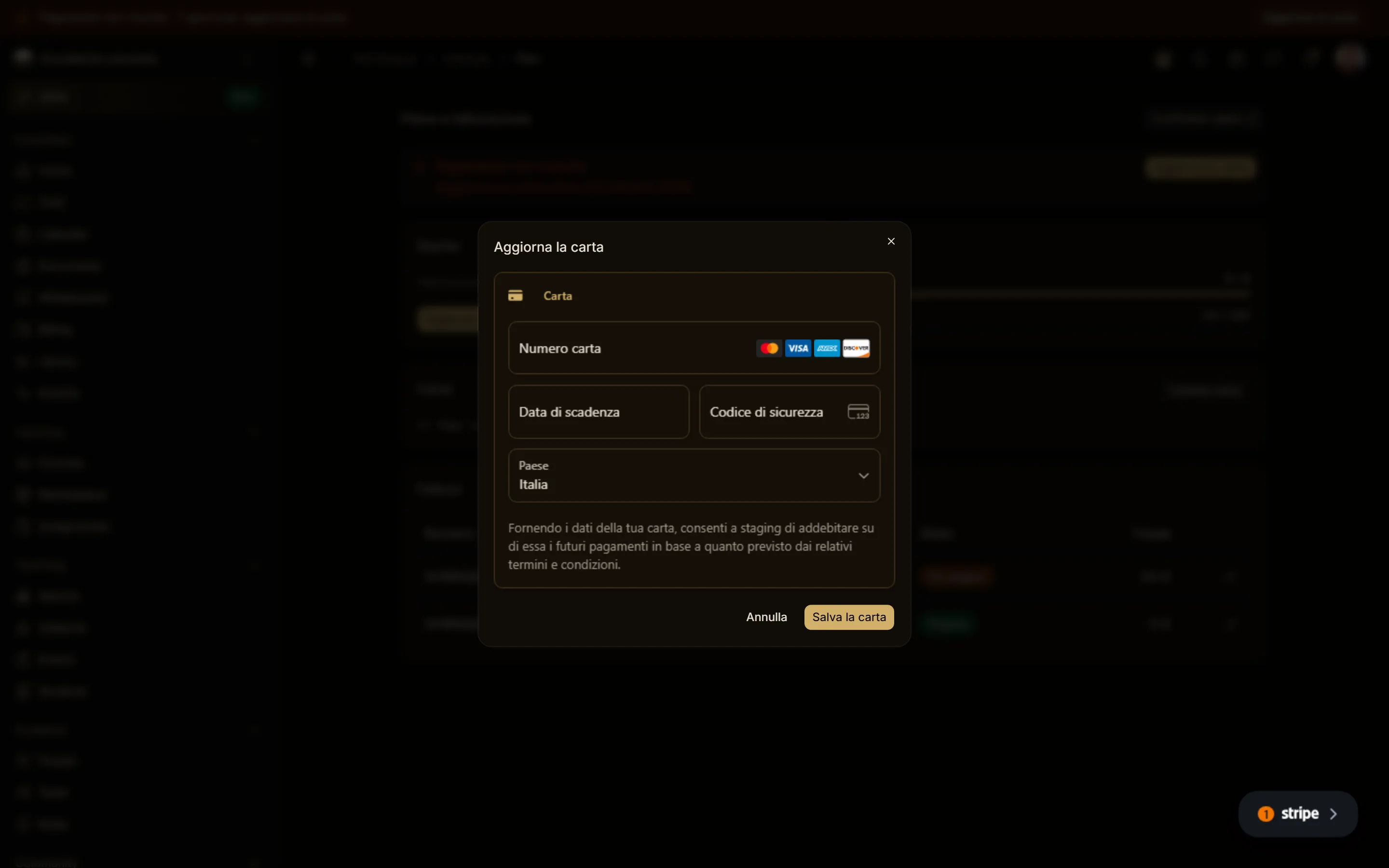
If a charge fails, the workspace has 7 days of grace: everything keeps working and the page and the banner ask you to Update card. The new card is used at once for the unpaid invoice. After 7 days the workspace is restricted (no invites, new courses or live sessions) for 7 more days, then goes back to Free. Cancelling while the payment is failing is immediate, since the current period is unpaid.
Back to Free: choose who stays
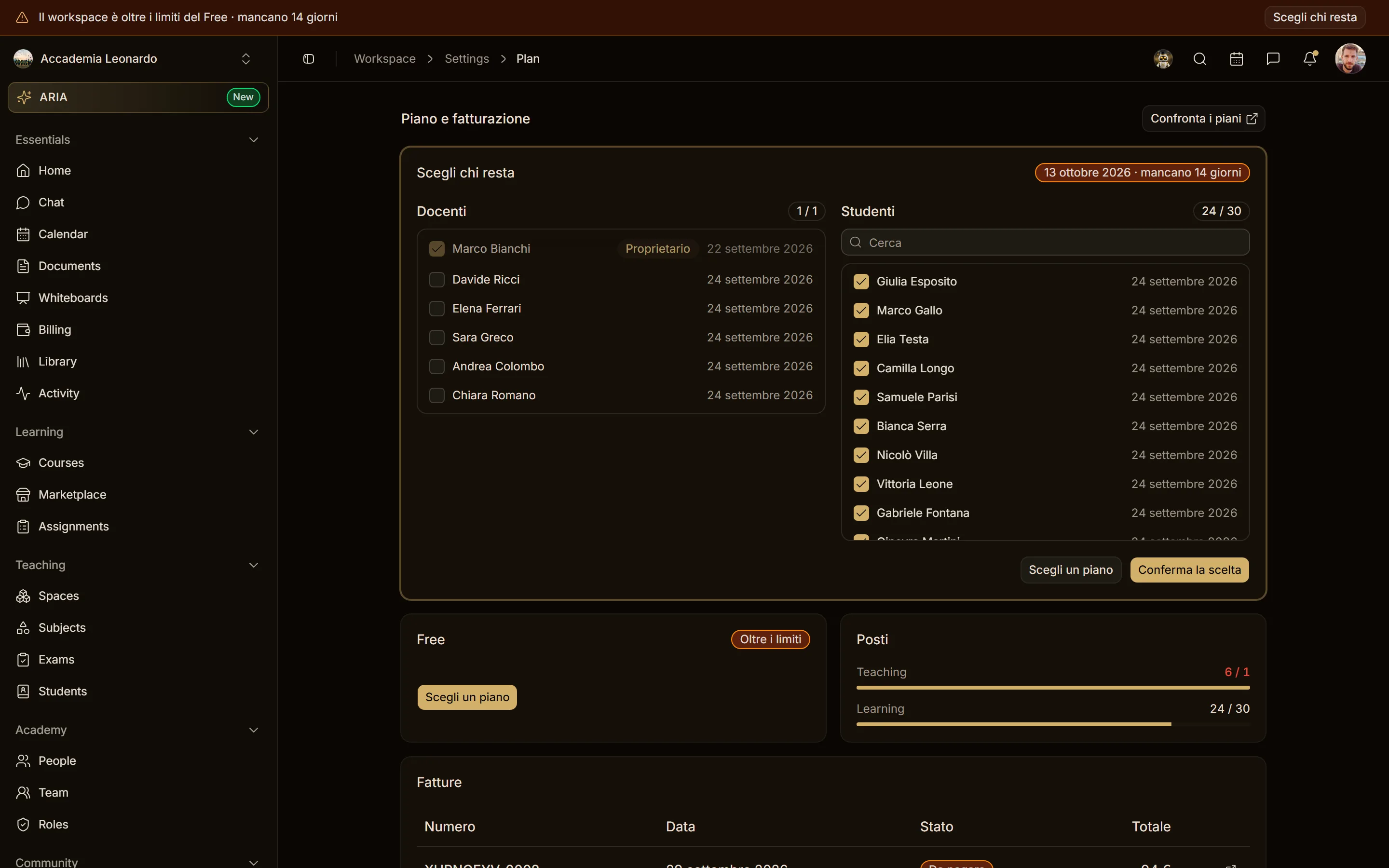
If the workspace goes back to Free with more people than the Free plan includes (1 teacher, 30 students), you have 14 days to choose who stays. Nobody loses access in the meantime, but invites, new courses and live sessions are blocked.
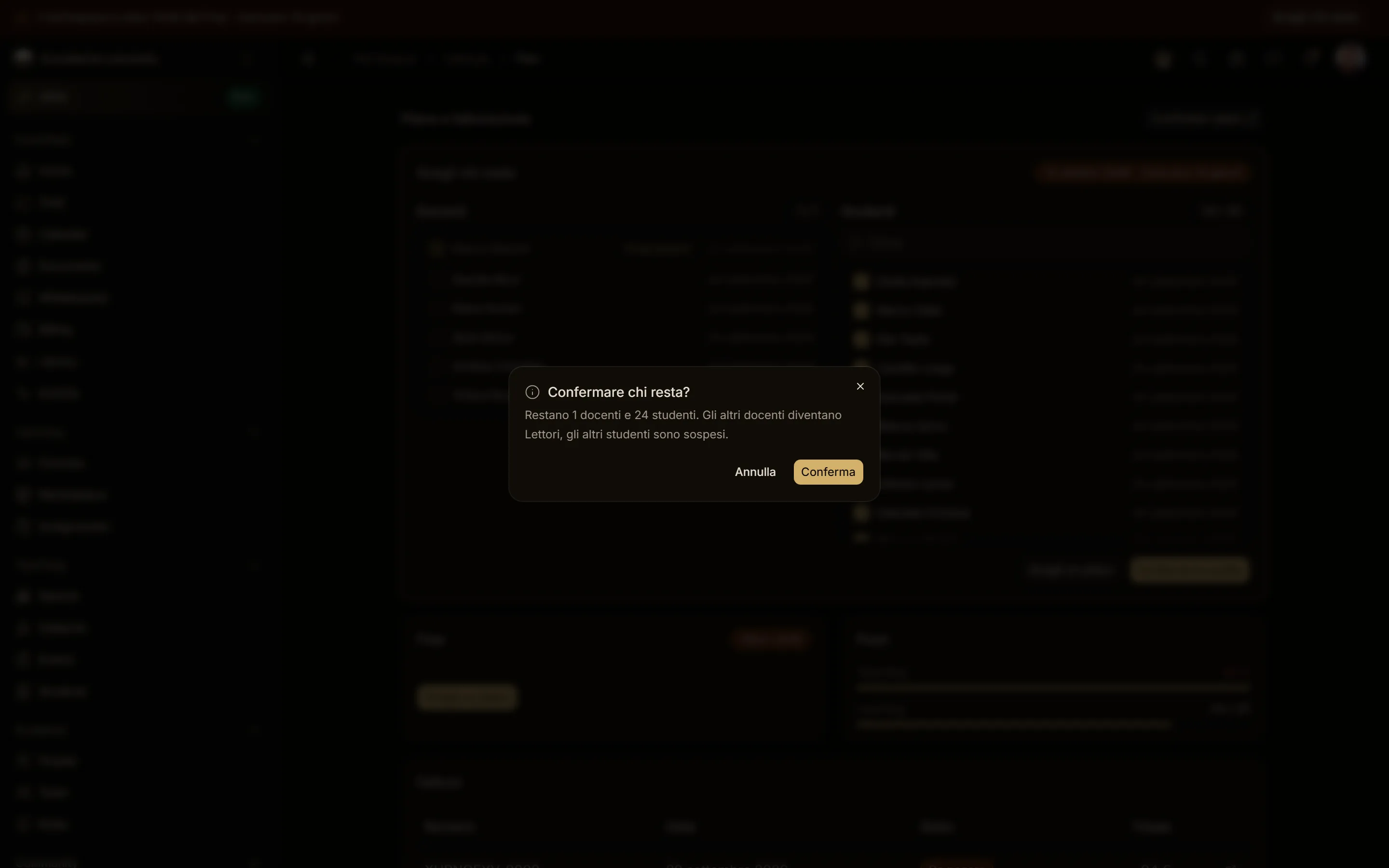
The panel starts with the automatic choice already ticked: the Owner, who always stays, and the most recently active students. Without a choice, after 14 days the other teachers become Viewers and the other students are suspended. No data is deleted, and with a paid plan everyone gets back their role.
Invoices
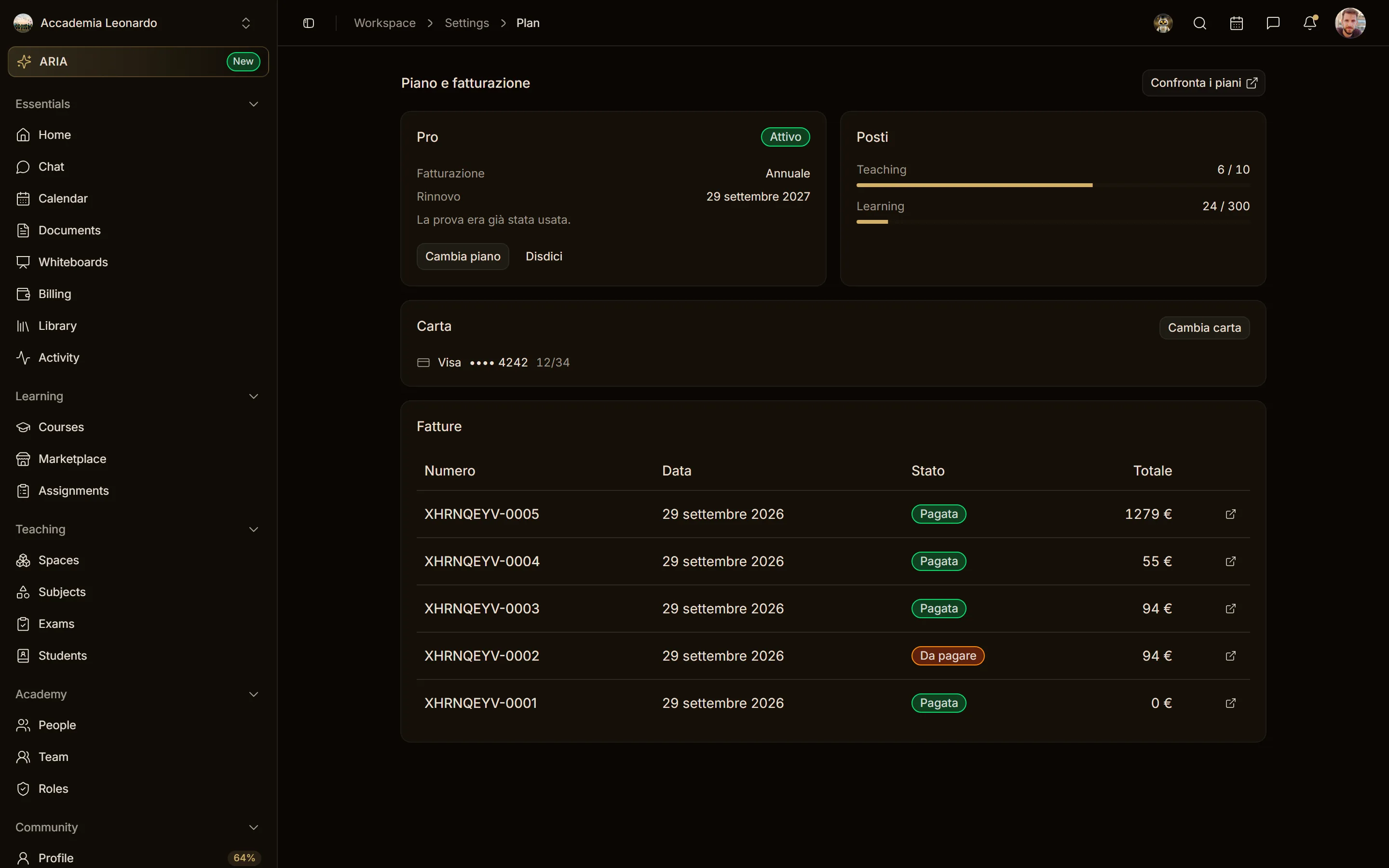
Every invoice of the plan, with its status and a link to the PDF.
Emails
Whoever manages billing receives an email, in the language of their profile:
- 3 days before the end of the trial;
- when the trial ends (plan active, or back to Free);
- when a payment fails, with the date by which to update the card;
- the last notice before going back to Free;
- when the workspace is over the Free limits, with the date by which to choose who stays;
- 7 days and 1 day before a scheduled change or cancellation.