
Profile, posts and community
Your public profile, the feed, questions and stories.
Your profile
Your profile is the page the other people of your workspace see: picture, cover, bio, the courses you teach or follow, your posts and reviews. Open it from your avatar in the top bar, then Edit profile to change texts and images.
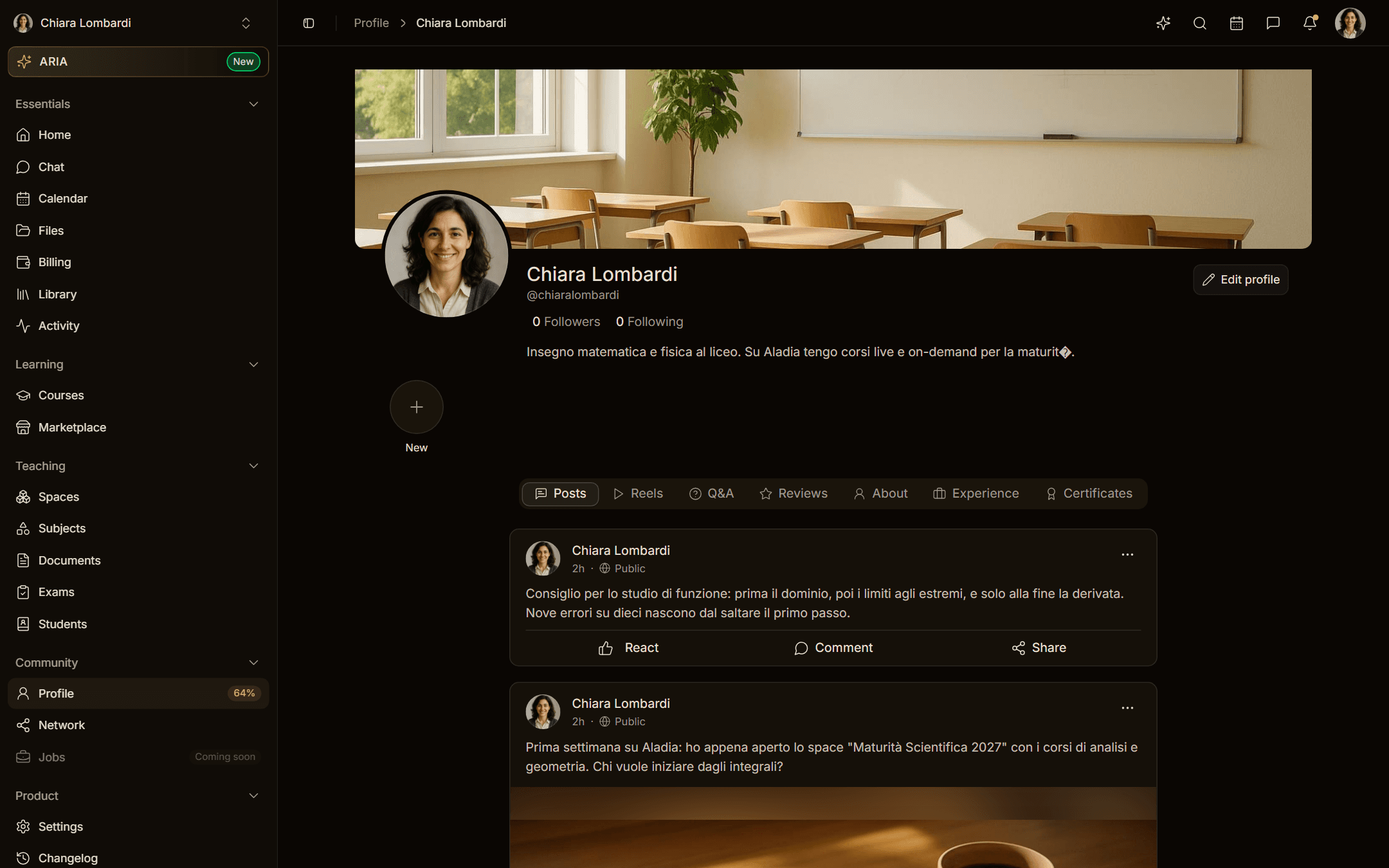
- Picture: square, at least 400 × 400 px.
- Cover: wide banner, 16:3 on desktop. Keep the subject in the middle band: the top and bottom are cropped on smaller screens.
Everything stays in the workspace
Social belongs to the workspace, like every other module (since 08/10/2026). Feed, reels, stories, search, who-to-follow suggestions and profiles show only the people of the workspace you are working in: in an academy its members, in the personal workspace you and the people you already brought into your spaces, courses and calendars. People outside the workspace do not appear and do not see your content. On an academy's site visitors also see only its members' posts; on app.aladia.io without signing in the feed is empty.
The feed
The Social page shows posts from the people you follow in the workspace and from the academy, plus reels, stories and suggestions. You can:
- publish a post with text and up to ten images;
- ask a question to the community, and mark the best answer once it arrives;
- react, comment, save a post for later, or hide it;
- repost something to your own followers.
In the All tab, carousels of the workspace appear in turn between posts: Reels, People you may know, Live courses starting soon, On-demand courses, Teachers and Upcoming events (the next 14 days). A carousel appears only when it has at least three items, so a small workspace sees just posts and the carousels it has content for. The Posts and Questions tabs show posts only.
Follow people and academies
You can follow only people in your workspace (the academy's people or those of your personal workspace, and the academy itself). Following someone adds their posts to your feed and their live lessons to your suggestions. Follower and following lists show only the people of the workspace; direct messages go only to people who share the workspace with you. Followers see your public posts; restricted posts are visible to followers only; private posts only to you.
Stories and highlights
Stories last 24 hours and are created from the composer with the image editor. Group the ones you want to keep as highlights on your profile.
ARIA can post for you
Try: "Publish a post with a photo of a classroom studying maths". ARIA generates the image, shows you the post and publishes only after you approve.
Report and block
Every post, comment, reel, story, profile and message can be reported, and you can block people who bother you from the … menu. All the details, including how managers review reports, are in Report and block.