
Student data and the Students table
Who sees students' attendance, grades, certificates and contacts, and what people who do not manage the course see.
Tested on 28/09/2026 · version 5d7d821a1e
A student's data (attendance, assessment results, joins to live lessons, completions, certificates, email) is seen by whoever manages the course and by the student. Belonging to the same academy, or being enrolled in the same course, is not enough.
Who manages a course
A course is managed by:
- its Teachers and Managers, once they have accepted the invitation (a pending invitation gives no access). The Editor of a course edits its content but does not follow the students;
- the Manager of the space that contains the course;
- the Owner and the Admins of the academy the course belongs to;
- the freelance teacher who created it in their personal context.
The Students table
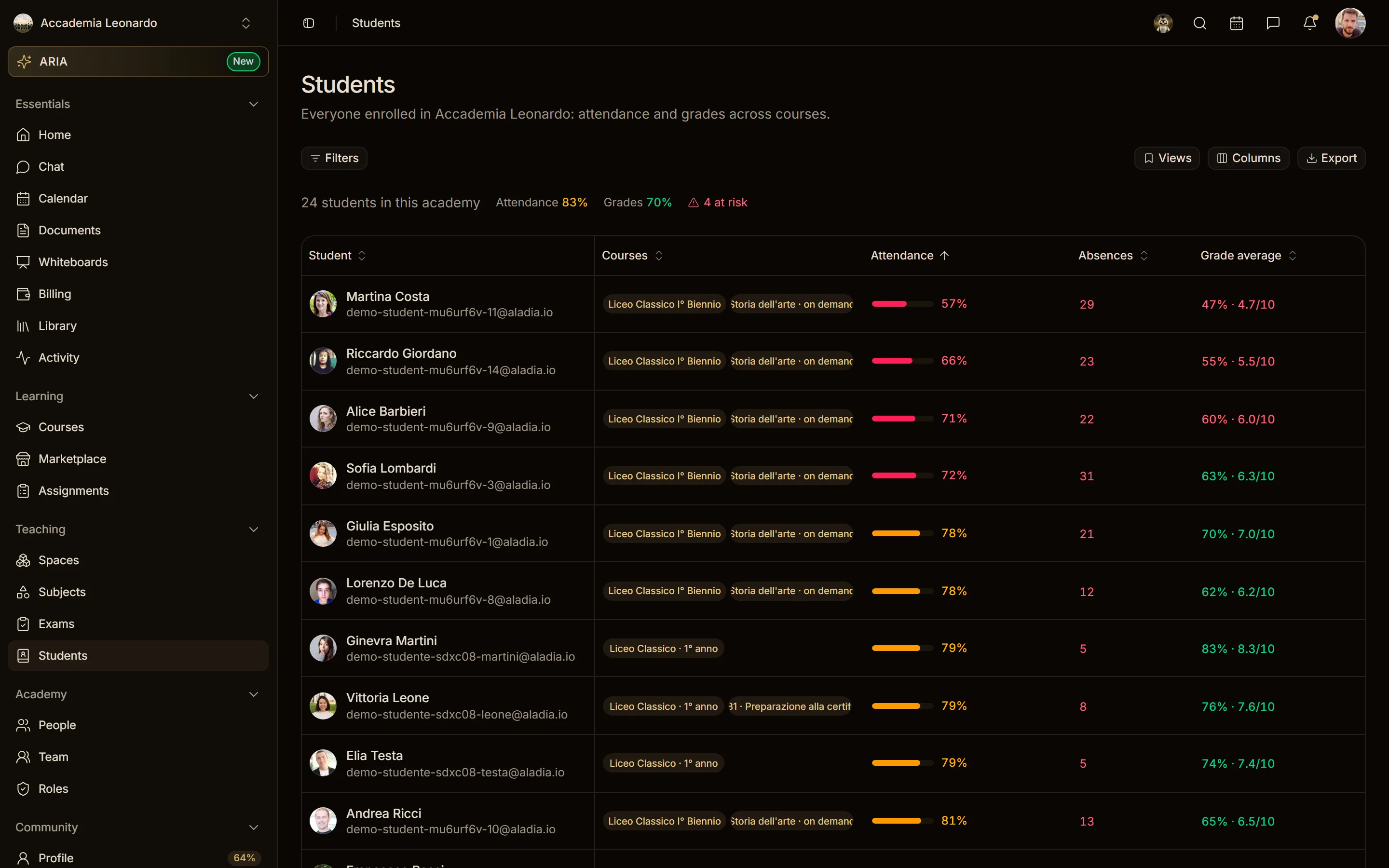
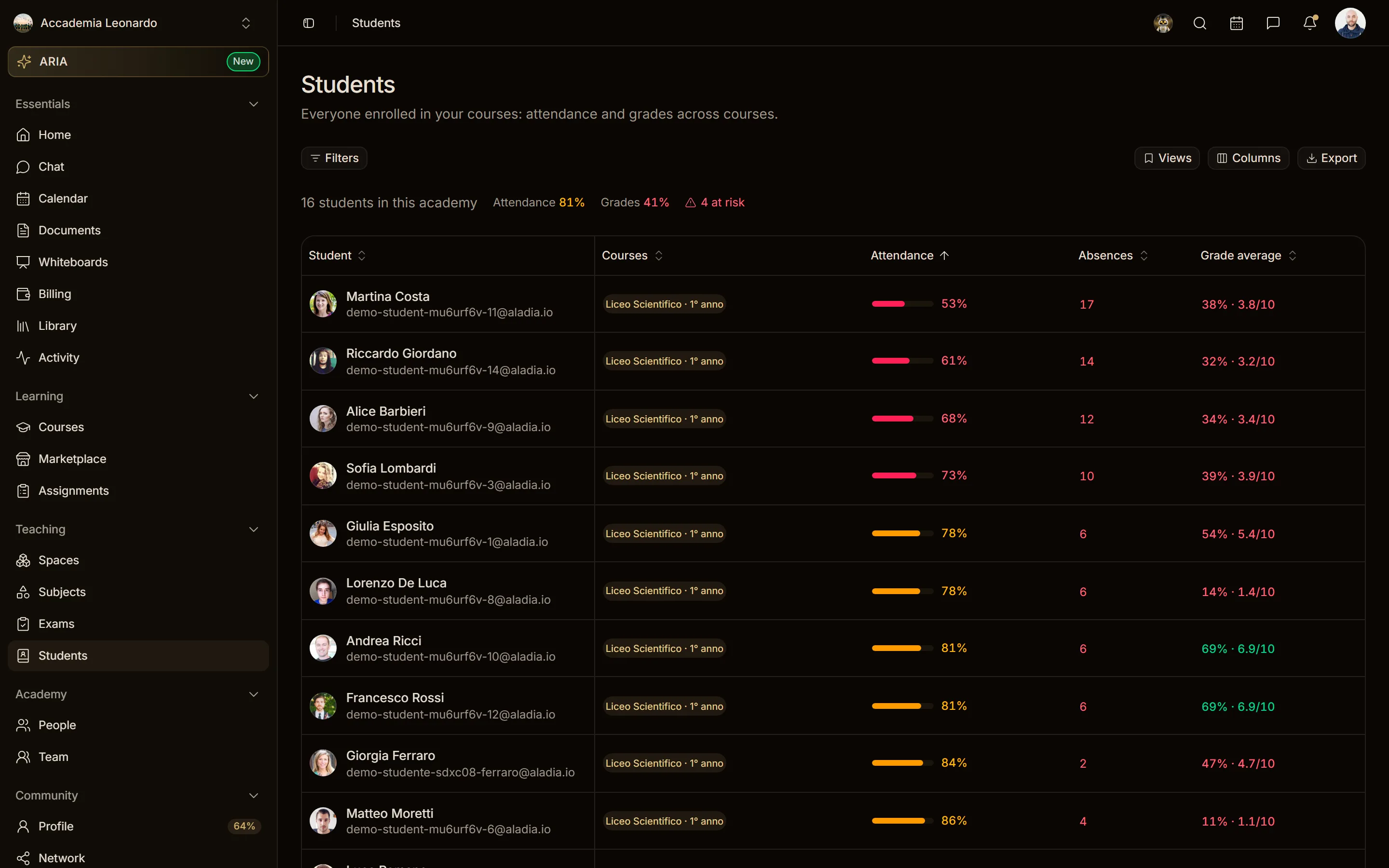
Students gathers the students of the courses in one table, with attendance and assessment averages.
| Who opens Students | What they see |
|---|---|
| Owner, Admin | every student of every course in the academy |
| Teacher, Manager of a course | only the students of the courses where they are Teacher or Manager ("Everyone enrolled in your courses") |
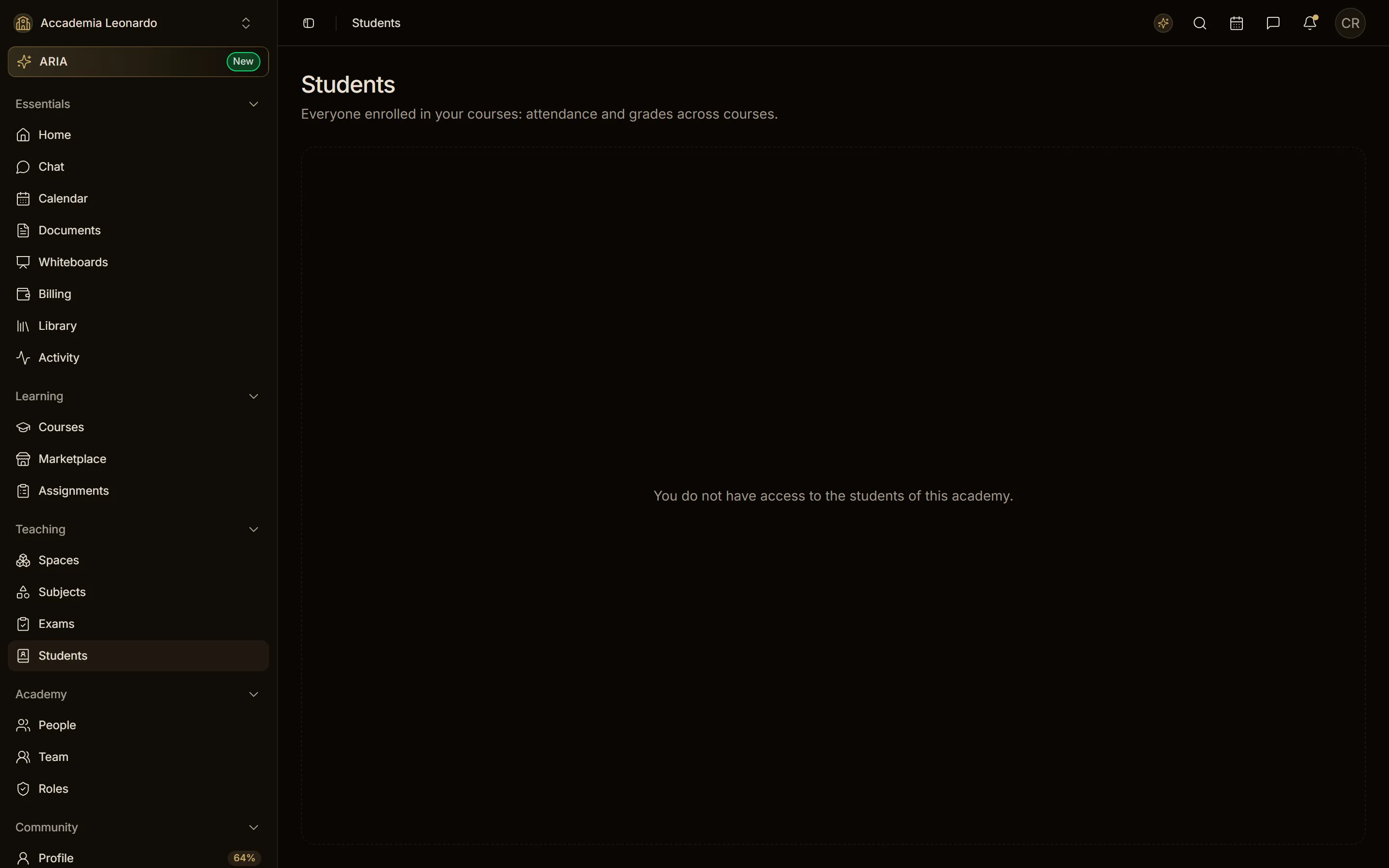
| Academy member who manages no course | You do not have access to the students of this academy. |
| Freelance teacher, in the personal context | the students of their own courses |
The server answers 403 with You do not manage any course in this academy. to anyone in the academy who manages no course; the page turns it into the message above instead of showing an empty table.
Course register and attendance
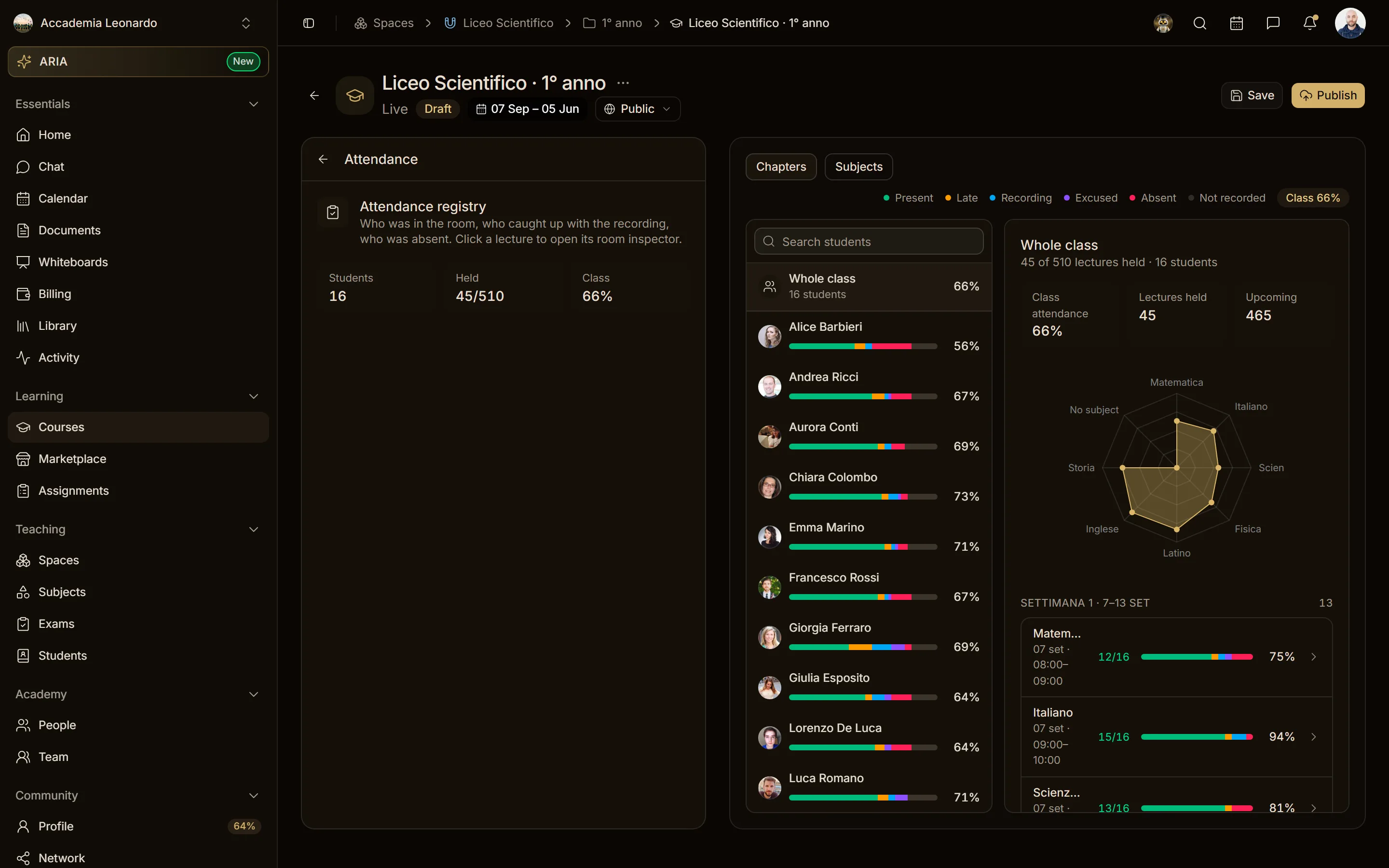
The attendance register, the results and the room joins of the whole class are in the course's Attendance section, and only whoever manages the course sees them.
An enrolled student sees only their own: their attendance, their results, their progress. If they try to open a classmate's data, or the whole class's, they get a 403 error. Someone enrolled in another course sees nothing of this course.
Course members seen from outside
A course's public page shows its teaching staff. From there:
- someone who is not enrolled sees only the Teachers and Managers of the course, with name and picture;
- an enrolled student also sees classmates, again only with name and picture;
- emails and pending invitations are seen only by whoever manages the course.
Academy members seen from outside
An academy's public page shows its members with name, picture and role. Emails and add-on roles are seen only by the Owner and Admins. On the members map, locations appear only to people who belong to the academy.
Certificates
- Everyone sees the list of their own certificates.
- A certificate is opened, searched and downloaded only by its holder or by whoever manages the course that issued it.
- On another person's profile only valid certificates (not revoked) appear, without attendance, hours or revocation details.