
Course review
How the academy approves courses before they go online, what the AI does, what authors receive.
Draft · being piloted on selected workspaces (30/09/2026)
In academies a new course, or a change to a course that is already online, can go through a review before reaching students. The academy decides, not the platform.
When review is needed
- Require review before publishing is on in academies and off in the personal workspace.
- Whoever has
course.publish(Owner and Admin by default) publishes right away: the builder button says Publish. - Everyone else sees Send for review. Course Managers go through review, unless the academy turns on the option that lets them publish directly.
- A change to an online course becomes a new version under review ("Update · v3 → v4"): v3 stays online until v4 is approved.
- Private courses go through the same queue, in a separate tab.
The queue
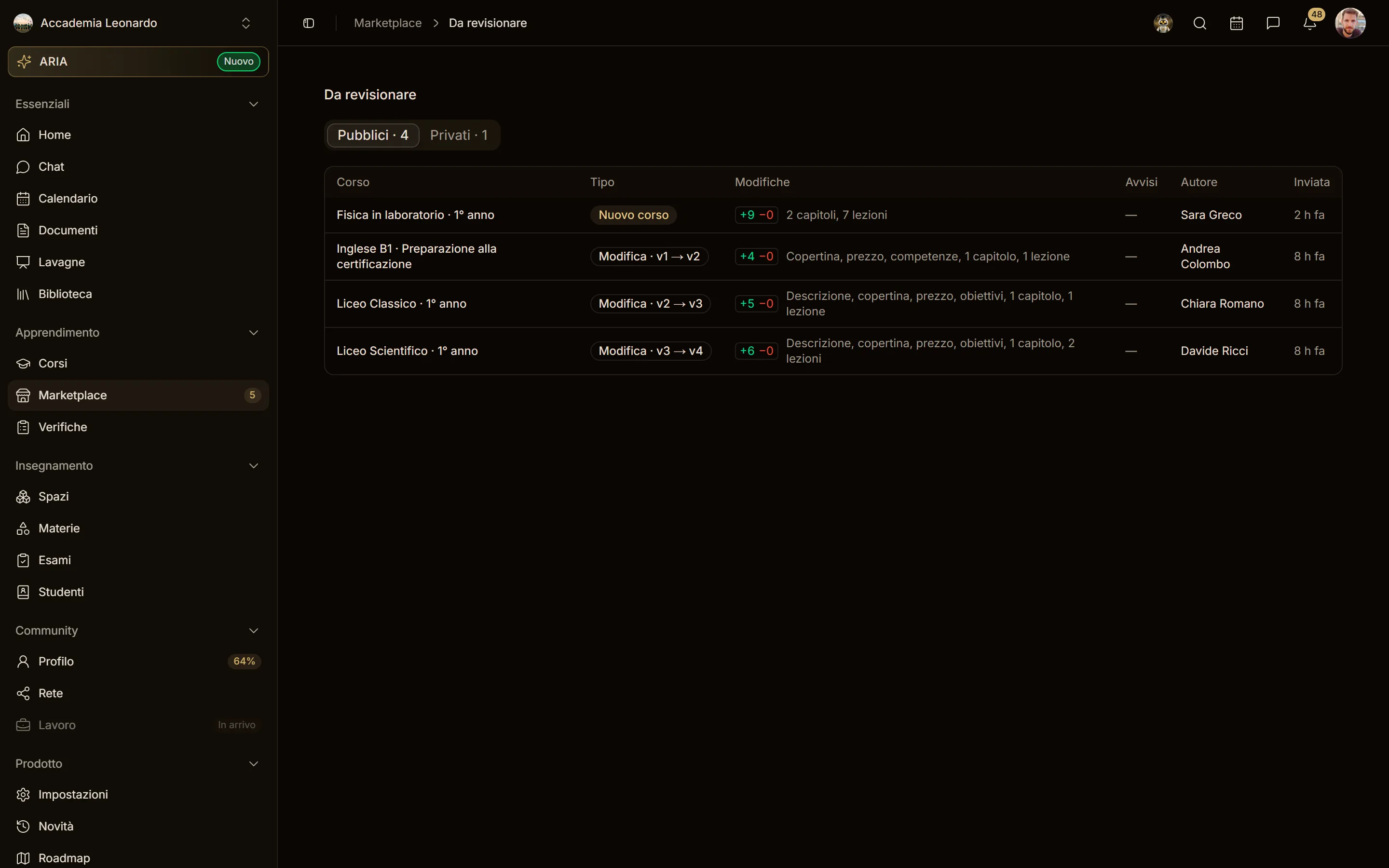
Whoever has course.review sees the number of courses to review on the Marketplace item of the sidebar and the To review carousel above the showcase. See all opens the queue, with the Public and Private tabs.
The review page
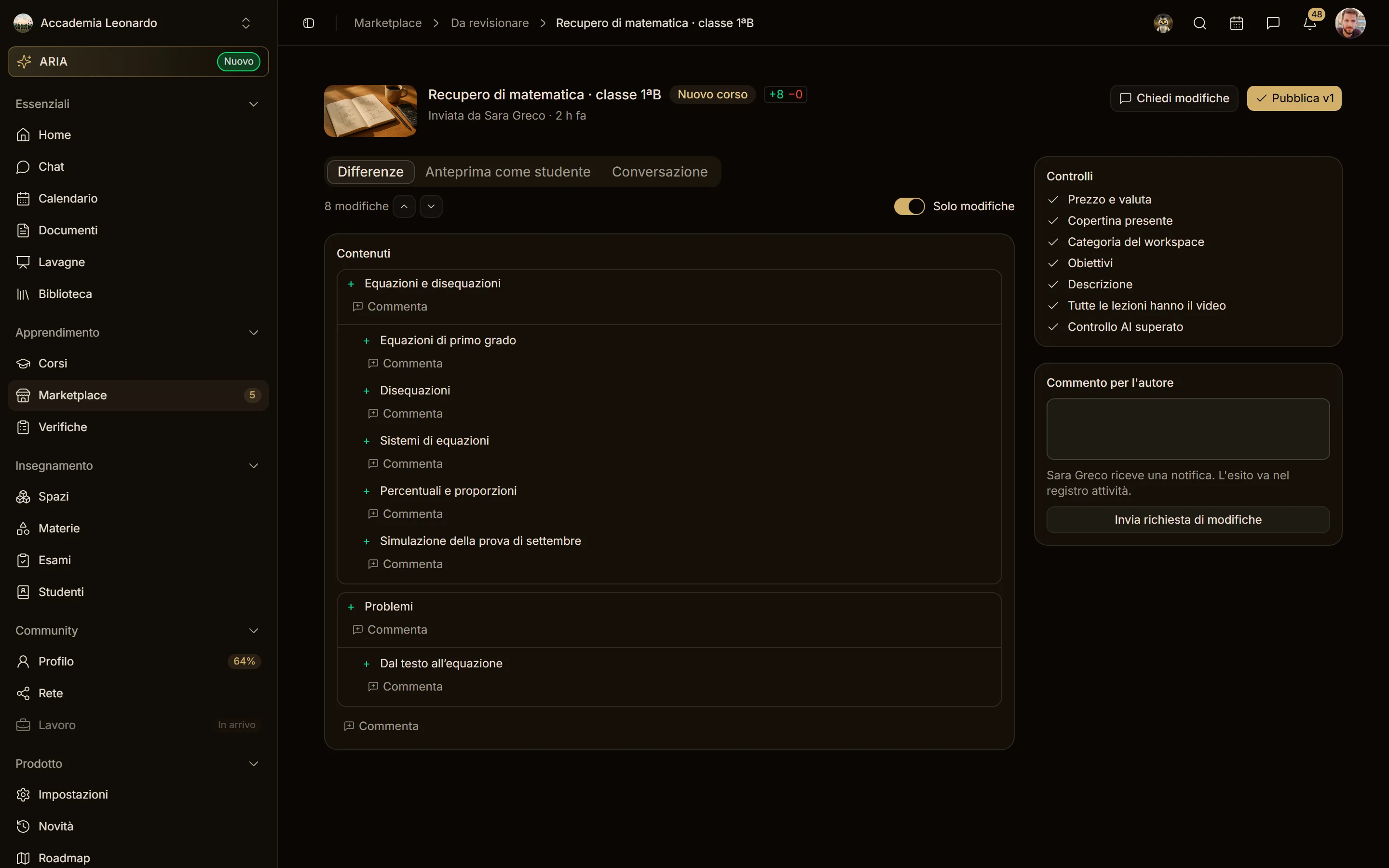
- Changes: what changes from the online version (price, cover, texts, chapters and lessons added, changed or removed, description compared word by word). The +N −M badge counts the items added or changed and those removed; the arrows, or the j and k keys, jump to the next and previous change ("3 of 7").
- Student preview: first the list of what changes, each with see in the preview, then the course page on the submitted version. Only reviewers and the author can see it.
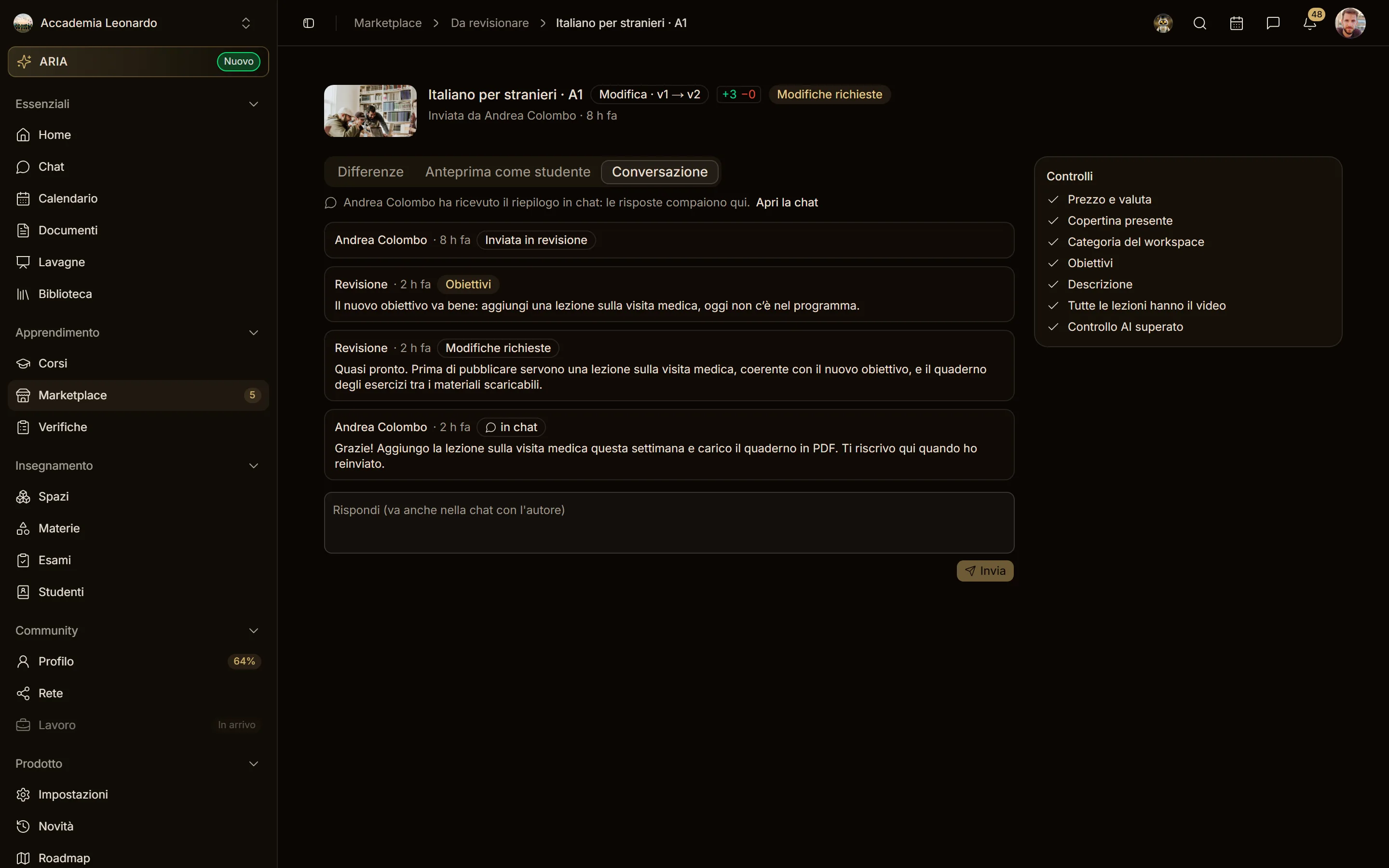
- Conversation: submissions, comments, decisions and the author's replies in chat, in time order.
- Checks: price, cover, category, goals, description, lessons without video, and the AI's opinion. They are warnings: they never block.
- Publish vN puts the version online; Request changes sends it back to the author with your comment, and the online version does not change.
The Changes, section by section
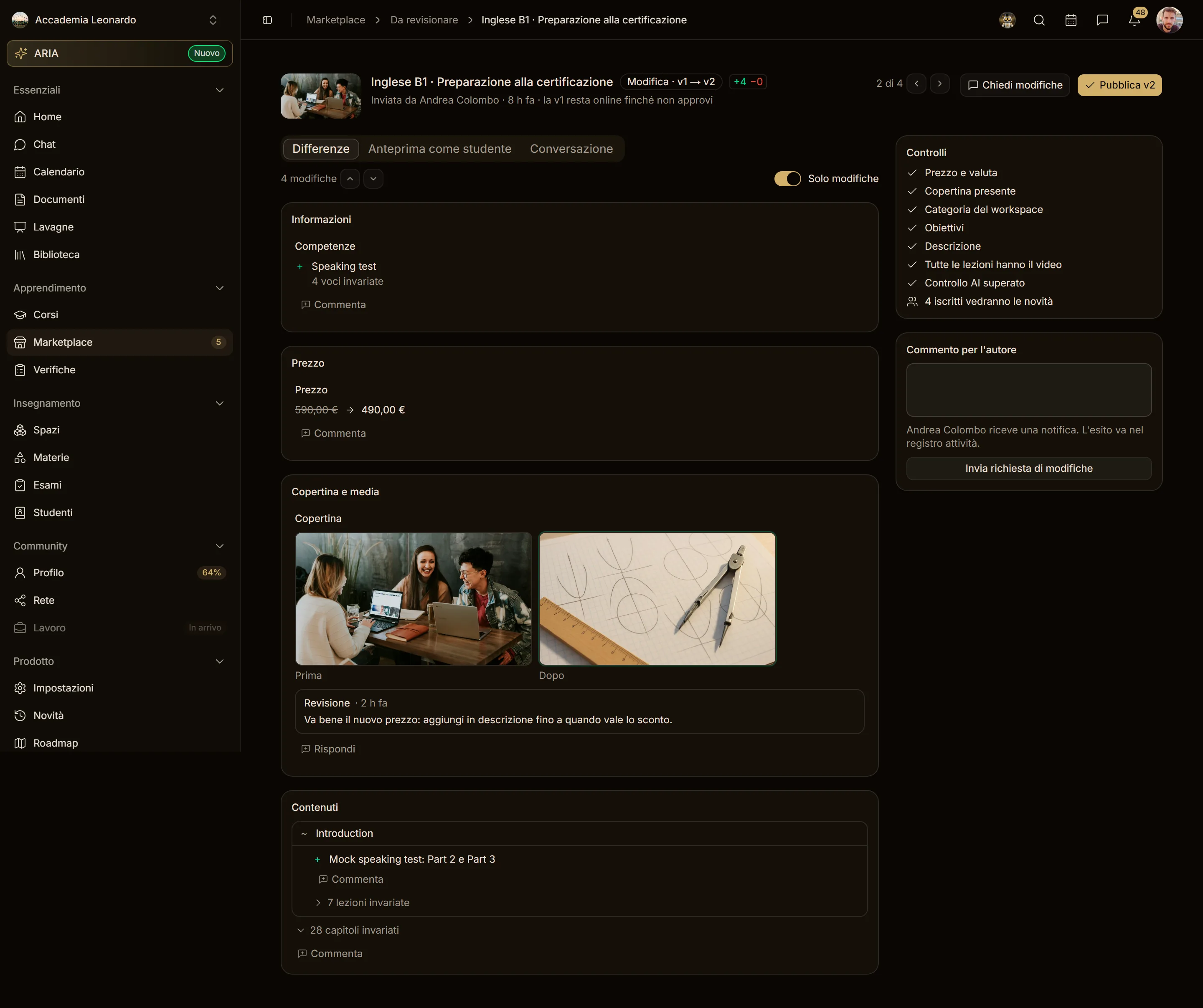
Changes are grouped into Information, Price, Cover and media, Categories, Goals and Content, one row per change:
- texts are compared word by word (removed struck through, added highlighted);
- the price reads "€590.00 → €490.00";
- the cover and trailer sit side by side, before and after;
- in lists (goals, skills, requirements, categories) added items have + and removed ones −;
- content is the tree of chapters and lessons: + added, − removed, ~ changed, with what changed (title, video, duration). Unchanged lessons are collapsed into "N unchanged lessons".
Only changes, on by default, hides what does not change; turned off, it shows the whole course.
Comments on the changes
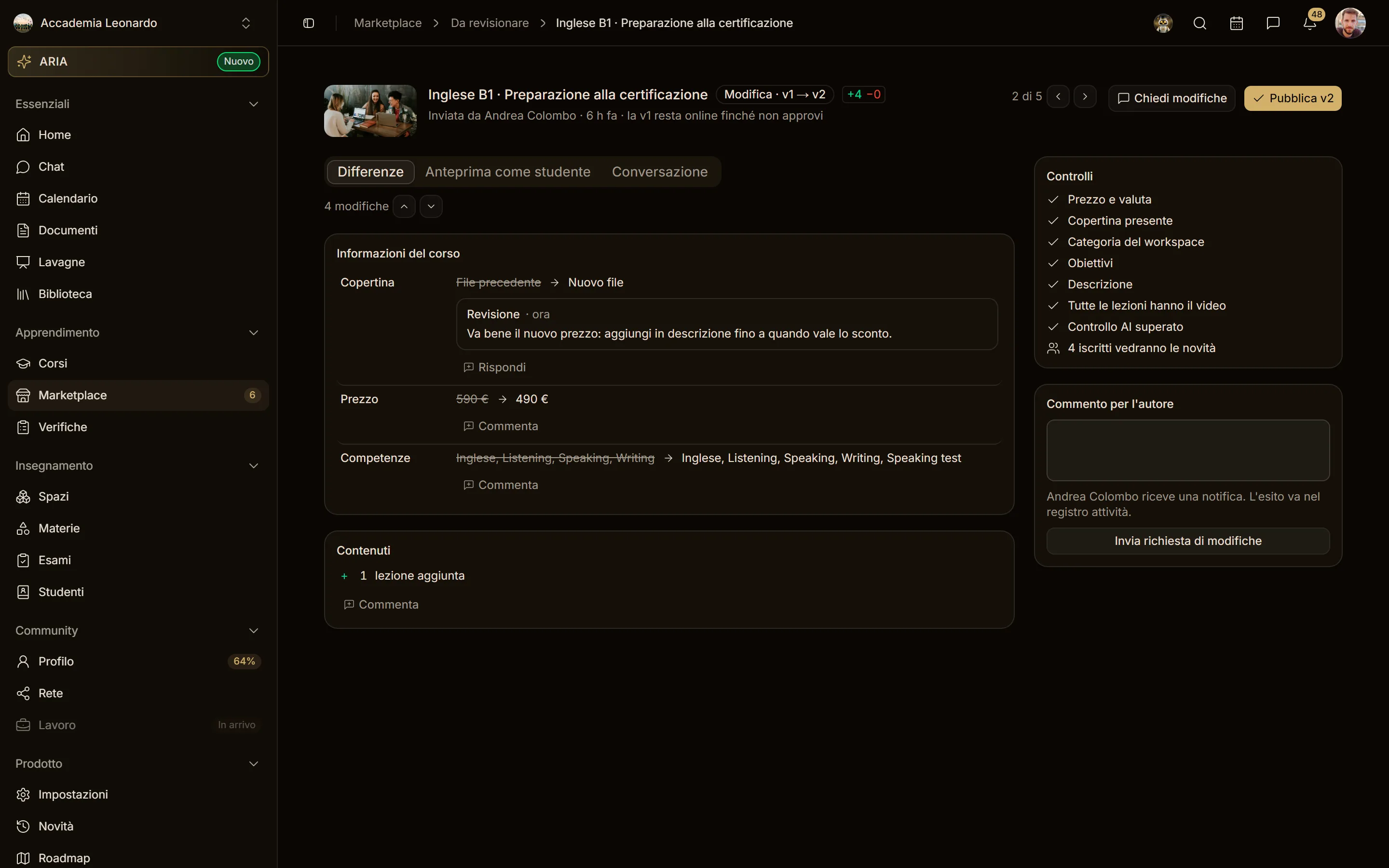
Under every change of the comparison (price, cover, description, content...) there is Comment: the comment stays attached to that change, as in a code review. The general comment goes in Request changes or at the bottom of the Conversation. On a phone the buttons are always visible.
The conversation in chat
With Request changes the author also gets a direct message in chat from the reviewer, inside the academy: the general comment, the comments on the changes, the course card and the link to the review.
The author replies in that message's thread. The replies show in the review's Conversation marked in chat, and what you write in the Conversation also goes to the thread. Open the chat takes you to the room.

What the author receives
When the review is decided the author gets a notification and an email with the reviewer's name, the comment and the link to the builder (for changes) or to the course (when published). The email carries the academy's colours and sender. Both items are set in Settings › Notifications › Review of your courses.
In the builder the author sees whether the course is in review (and can withdraw the request to keep editing) or whether changes were requested, with the comment.
And the AI?
Aladia's AI no longer decides for the academy: it checks the quality and adds a warning to the review. The platform steps in only for moderation (for example, a suspended course stays out even if the academy approves it).